CompTIA A+

The CompTIA Troubleshooting Methodology

13 min read

A user calls and says "my computer is broken." That's all you get. Where you go next separates a technician who fixes problems quickly from one who swaps parts at random and hopes. A repeatable method turns a vague complaint into a solved ticket.

CompTIA A+ Core 1 (220-1201) opens its hardware domain by expecting you to know the best-practice troubleshooting methodology and to apply it in order. This is one of the most heavily tested ideas on the exam because it shows up everywhere: hardware, networking, mobile devices, and software. Scenario questions often describe a situation and ask what step comes next, or which step a technician skipped. If you learn the sequence and the reasoning behind each step, you can answer those questions even when the technology in the scenario is unfamiliar.

This article walks through all six steps, explains what each one actually means at a workbench, and points out the mistakes that cost technicians time. The steps are simple to memorize. Applying them under pressure, in the right order, is the skill the exam is really checking.

The methodology exists so you fix the real problem, not the symptom

The troubleshooting methodology is a fixed, ordered process. CompTIA lists six steps, and the order is deliberate. Each step feeds the next. If you skip ahead, you tend to waste effort on the wrong cause, and you can even create new problems.

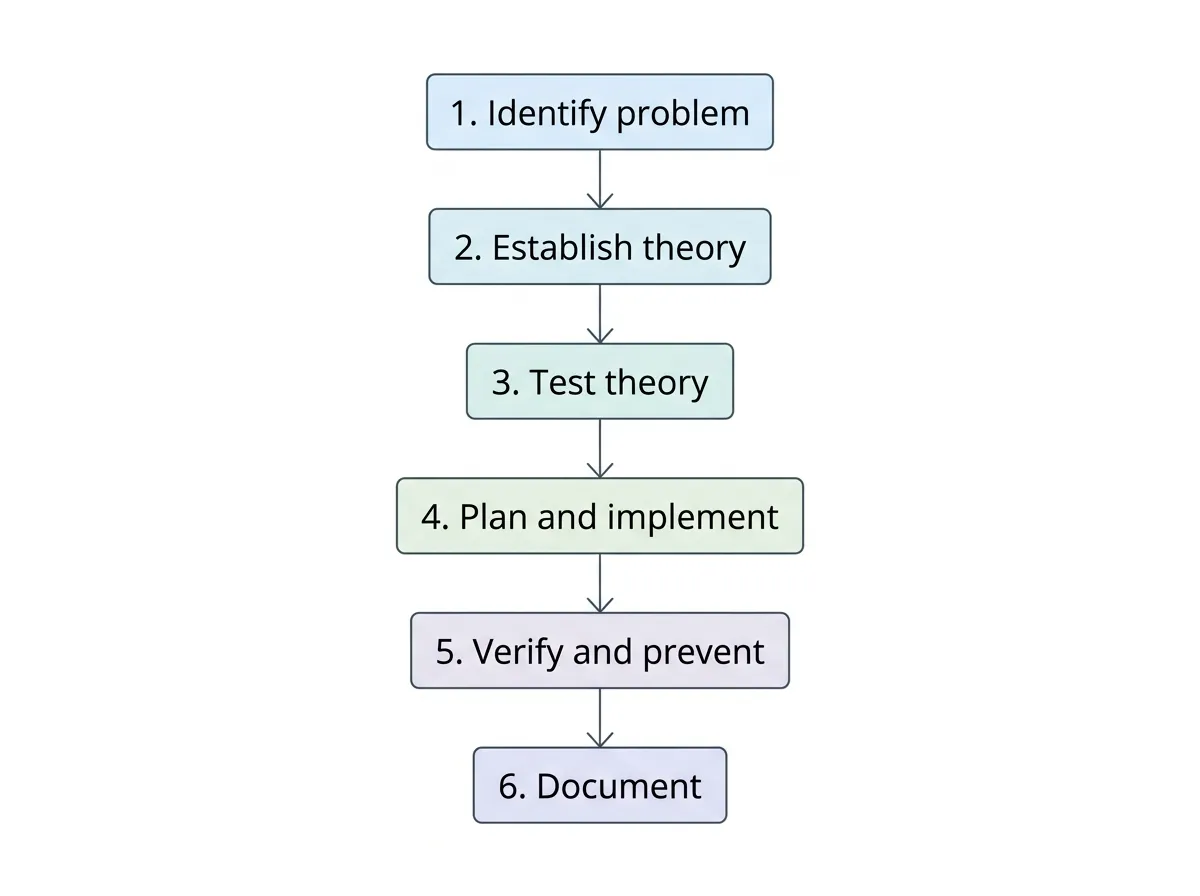
The full sequence is:

  1. Identify the problem.
  2. Establish a theory of probable cause (question the obvious).
  3. Test the theory to determine the cause.
  4. Establish a plan of action to resolve the problem and implement the solution.
  5. Verify full system functionality and, if applicable, implement preventive measures.
  6. Document findings, actions, and outcomes.

Two ideas run through every step. The first is that you gather information before you act. The second is that you confirm your work before you close the ticket. A technician who guesses at a fix, applies it, and walks away has skipped both of those safeguards.

On the exam, watch for the word "next." A question might describe a technician who has already reproduced a problem and formed an idea about the cause, then ask what to do next. If the technician has a theory but hasn't confirmed it, the answer is to test the theory, not to start replacing hardware. The order tells you the answer.

One more principle applies across the whole process. If your organization has policies or a change-management process, follow them. Some fixes require approval, a maintenance window, or a notification to affected users. The methodology is a technical framework, but it operates inside business rules you don't get to ignore.

Step 1 sets the foundation by identifying the problem

Everything downstream depends on understanding what's actually wrong. Identifying the problem means gathering information from the person reporting it and from the system itself, then reproducing the issue if you can.

Start by talking to the user. Ask open questions first, then narrow down. What were you doing when it happened? Has it happened before? Did anything change recently, like a new update, a new device, or a move to a different desk? Users often bury the most useful clue in an offhand comment, so let them describe the problem in their own words before you steer the conversation.

Inquiring about environmental or infrastructure changes is a named part of this step. A workstation that stopped reaching the network right after an office rewiring, or a laptop that fails only after being moved near a space heater, points you toward a cause that has nothing to do with the machine's internals. Ask what changed in the surroundings, not just on the computer.

Reviewing the system's own records matters too. Check event logs, error messages, and any recent update or installation history. A specific error code is worth more than a paragraph of user description because you can look it up and match it to a known cause.

Reproducing the problem is the goal of this step whenever it's safe to do so. A problem you can reproduce on demand is a problem you can test and later confirm you've fixed. Intermittent problems that you can't reproduce are the hardest kind, and they usually force you to gather more data over time.

Back up before you make changes, and consider corporate policies

CompTIA calls out a specific responsibility inside step one: if you're going to make changes, back up data first when it's practical. If a fix might touch storage, wipe a configuration, or risk a user's files, protecting that data comes before the repair. A backup you take before you start can be the difference between a routine fix and a disaster.

This is also where corporate policies, procedures, and impacts come into play. Some systems can't be touched without a change request. Some fixes will take a server offline that dozens of people depend on. Knowing the impact before you act lets you schedule the work correctly and warn the people affected. In exam terms, "identify the problem" is broader than just finding a fault; it includes understanding the environment and the rules you're working within.

Step 2 turns evidence into a theory, starting with the obvious

Once you understand the problem, you form a theory of probable cause. This is an educated guess, built on the information you gathered, about what's making the system misbehave. The exam phrasing includes an important instruction: question the obvious.

Questioning the obvious means checking the simple, common causes first before you reach for complicated ones. A monitor with no picture might have a dead graphics card, but it's far more likely to have a loose cable, the wrong input selected, or a power strip switched off.

Create a free account to keep reading

The full lesson is free — no credit card required.

Continue reading free