A user hands you a laptop with only USB-C ports and asks you to connect it to an old projector with a blue 15-pin plug. Nothing lines up, and yet the meeting starts in five minutes. That moment is exactly what adapters and converters exist to solve: they bridge a connector or signal that doesn't match what the device offers.
CompTIA A+ Core 1 (220-1201) Objective 3.2 covers cables, connectors, and adapters, and it expects you to recognize common video, USB, and network dongles, know when a simple adapter works and when you need active signal conversion, and pick the right part for a given scenario. On the job, this knowledge saves you from buying the wrong dongle and from blaming a cable when the real problem is signal type.
This article stays practical: what an adapter actually does, the difference between passive and active conversion, and the specific dongles you'll be asked about for video, USB, and networking.
An adapter changes the connector; a converter changes the signal
The words "adapter" and "converter" get used loosely, but the exam rewards you for knowing the difference, because it decides whether a part will work at all.
An adapter changes the physical connector while the underlying signal stays the same. A DVI-to-VGA question sounds like a converter, but many of these are simple passive adapters that only work because the port carries analog signals through spare pins. If the signal on both sides is compatible, a plain adapter is enough.
A converter changes the signal itself. When you go from a digital source to an analog display, or from one digital standard to a genuinely different one, the electronics have to read the incoming signal and rebuild it. That work requires active circuitry, and often power. This is why some dongles include a chipset and sometimes a USB power lead, while others are just molded plastic and pins.
The practical rule is this. If both ends speak the same electrical language, you can use a passive adapter. If the two ends speak different languages, you need an active converter. Guessing wrong here is the most common reason a display shows nothing even though everything is plugged in correctly.
Passive versus active in the real world
Passive adapters are cheap, need no power, and only rework pin layout. Active converters contain a chip, may draw power from USB, and can introduce a small cost and occasionally a slight delay. When a scenario mentions "no display" after connecting a working monitor through a dongle, suspect that a passive adapter was used where an active converter was required.
Video adapters bridge the four connectors you'll see most
Video is where adapters cause the most confusion, because the connectors look interchangeable but the signals underneath are not. You'll see four families on the exam: VGA, DVI, HDMI, and DisplayPort, plus USB-C carrying video.
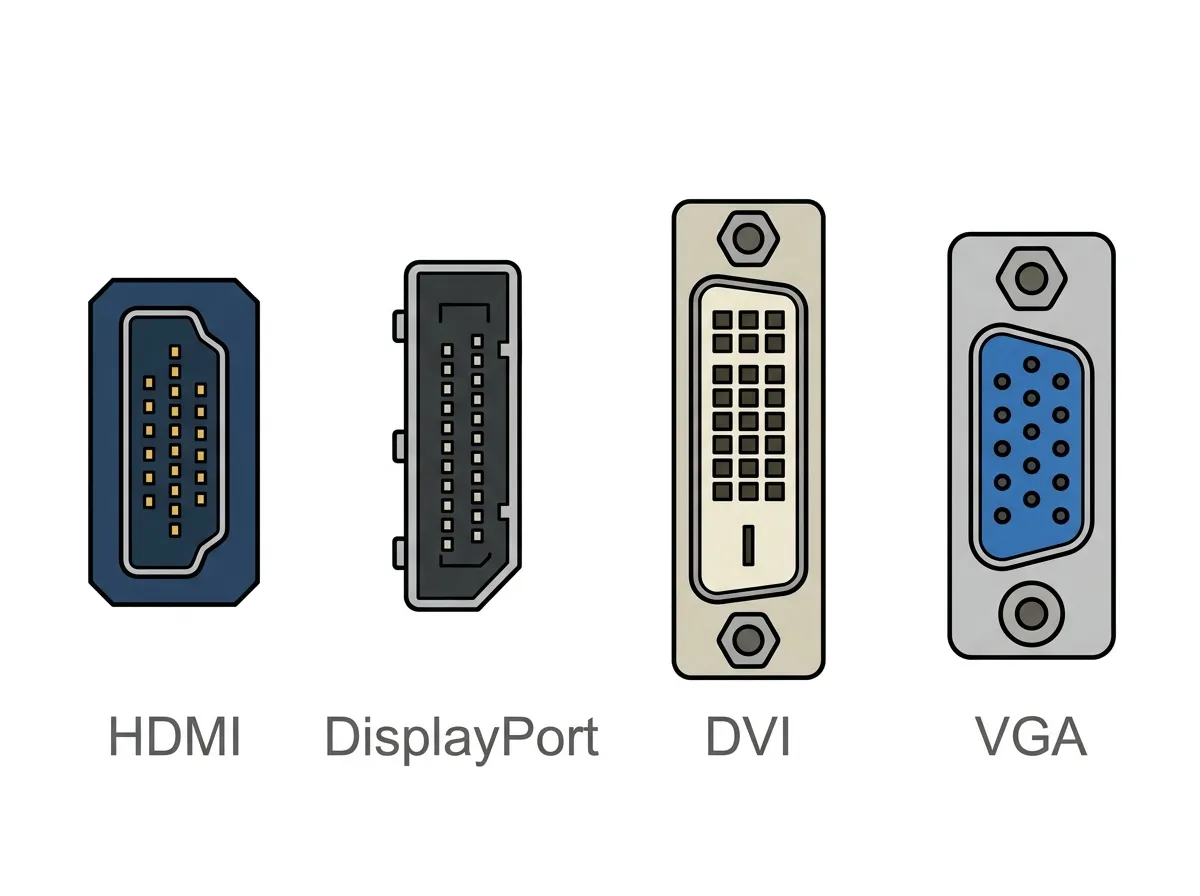
VGA is analog and carries video only. HDMI and DisplayPort are digital and carry both video and audio. DVI is the crossover case: it comes in digital and analog variants, which is exactly why some DVI-VGA adapters are passive and others are not.
Here's the core matrix you should be able to reason through:
| From → To | Type needed | Why |
|---|---|---|
| DVI-A / DVI-I → VGA | Passive adapter | Analog pins already present |
| DVI-D → VGA | Active converter | Digital to analog rebuild |
| HDMI ↔ DVI-D | Passive adapter | Same digital video signal |
| HDMI / DisplayPort → VGA | Active converter | Digital to analog rebuild |
| DisplayPort → HDMI | Usually passive | DP can output HDMI signal directly |
| USB-C (DP Alt Mode) → HDMI/DP/VGA | Adapter or converter | Depends on the target |
Two details matter here. HDMI and DVI-D use the same digital video signaling, so an HDMI-to-DVI adapter is passive, though you lose audio because DVI carries none.