A computer boots up, asks the network for an address, and hears nothing back. Instead of sitting there with no way to talk, it assigns itself an address so it can at least reach other machines on the same wire. That self-assigned address is APIPA, and when you see one, it's usually telling you something went wrong.
CompTIA A+ Core 1 (220-1201) Objective 2.6 covers IP addressing and SOHO networks, and APIPA sits right in the middle of it. The exam expects you to recognize the APIPA address range on sight, know the subnet mask that goes with it, understand why a device ends up with one, and use that knowledge to diagnose a network problem. In the field, an APIPA address is one of the fastest clues you'll ever get, because it points straight at a DHCP failure.
APIPA is what a device uses when DHCP doesn't answer
Most devices on a home or small office network get their IP configuration automatically from a DHCP server, which is usually built into the router. The device broadcasts a request, the DHCP server replies with an address, subnet mask, default gateway, and DNS servers, and the device is ready to communicate.
APIPA is the fallback for when that conversation fails. If a Windows client sends out its DHCP request and gets no response, it doesn't just give up. It assigns itself an address from a reserved link-local range (169.254.0.0/16, which is not one of the RFC 1918 private ranges) so it can still communicate with other devices on the same local segment. This behavior is built into the operating system and requires no configuration.
The formal name for this concept is link-local addressing, defined in RFC 3927. Microsoft's implementation is what most people call APIPA, but the idea is standardized across operating systems. In exam terms, treat APIPA and IPv4 link-local addressing as the same thing: a self-assigned address used when no DHCP server is reachable.
The word "automatic" matters here. Nobody types in an APIPA address. The device picks one on its own, checks that no other device is already using it, and then holds it while it keeps trying to reach a DHCP server in the background.
The 169.254 range and its mask are the numbers to memorize
The single most important fact about APIPA is the address range. APIPA addresses always fall in the block 169.254.0.0 through 169.254.255.255, which is written as 169.254.0.0/16. The subnet mask that goes with this range is always 255.255.0.0.
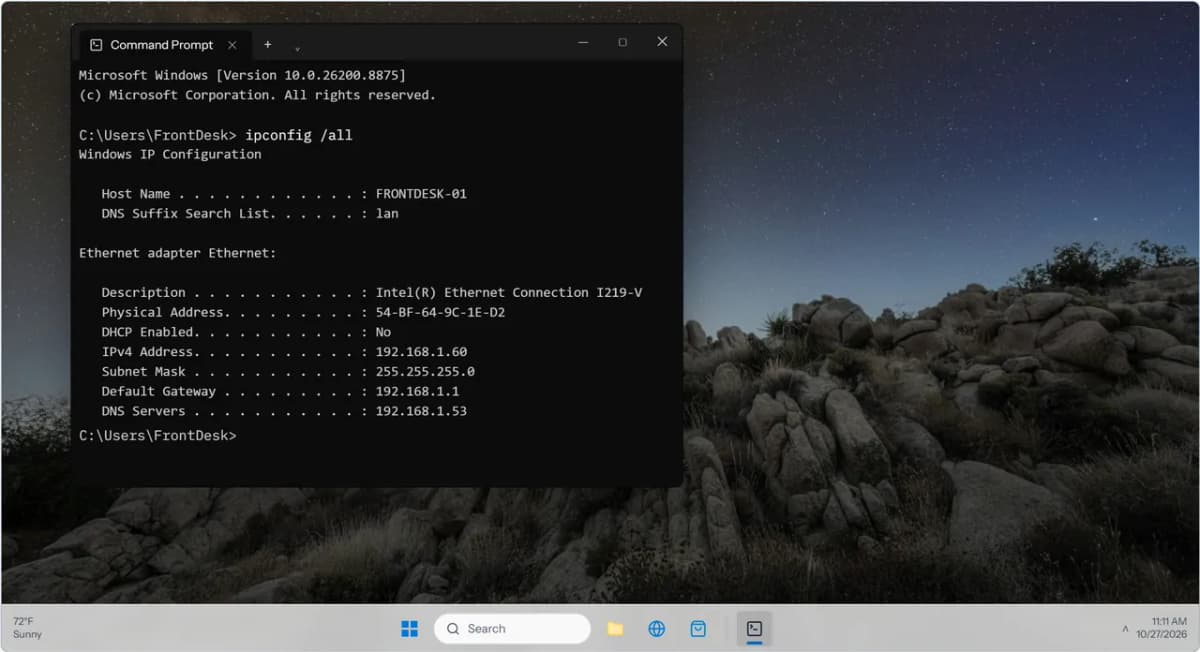
If you ever run ipconfig and see an address that starts with 169.254, you're looking at APIPA. No properly configured network hands out addresses in that range, so its presence is a red flag rather than a normal result.
| Property | Value |
|---|---|
| Full range | 169.254.0.0 – 169.254.255.255 |
| Usable range | 169.254.1.0 – 169.254.254.255 |
| Subnet mask | 255.255.0.0 (/16) |
| Default gateway | None assigned |
| RFC | 3927 |
Two smaller details are worth knowing.