Connector questions on CompTIA A+ 220-1201 often come down to quick recognition. You’ll see a photo, then you’ll need to name the connector and state what it’s used for, without overthinking it.
Objective 3.2 focuses on common connector types by name, look, and typical use case. That includes RJ11 for phone lines, RJ45 for Ethernet, and the F-type connector used with coax for cable internet and TV. It also covers fiber options like straight tip (ST), subscriber connector (SC), and Lucent connector (LC), plus infrastructure pieces such as a punchdown block for terminating twisted-pair runs.
You’ll also need to know everyday device connectors and power leads: MicroUSB, MiniUSB, USB-C, Lightning, Molex, and the DB9 serial connector. For each one, the exam expects you to connect the shape to what it carries (data, voice, video, power) and where you’d find it (home setups, office wiring closets, or data centers).
One key point, connectors aren’t the same thing as cable standards, and the test emphasizes practical identification. This guide gives you a simple way to remember each connector, what it does, and the scenarios where it shows up.
Copper connectors you’ll see in homes and offices: RJ11, RJ45, F-type, and punchdown blocks
Copper connectors show up everywhere in entry-level IT work because most buildings still use copper for at least one service, phone, Ethernet, or coax. The CompTIA A+ exam likes these because they are easy to test with photos and short scenarios. Your job is to identify the connector fast, then tie it to the right signal type and device.
A simple way to stay oriented is to match each connector to what it normally carries:
- RJ11: voice (and often DSL on the same line)
- RJ45 (8P8C): Ethernet data
- F-type: coax signals for cable and antenna
- Punchdown blocks/patch panels: where twisted-pair runs terminate in structured cabling
RJ11, the small phone connector that still shows up on exams
RJ11 is the classic telephone plug. You still see it in homes, older offices, and any setup that uses a copper phone line. A+ questions often connect RJ11 to POTS (plain old telephone service) and to DSL, where the phone line also carries internet service to a modem.
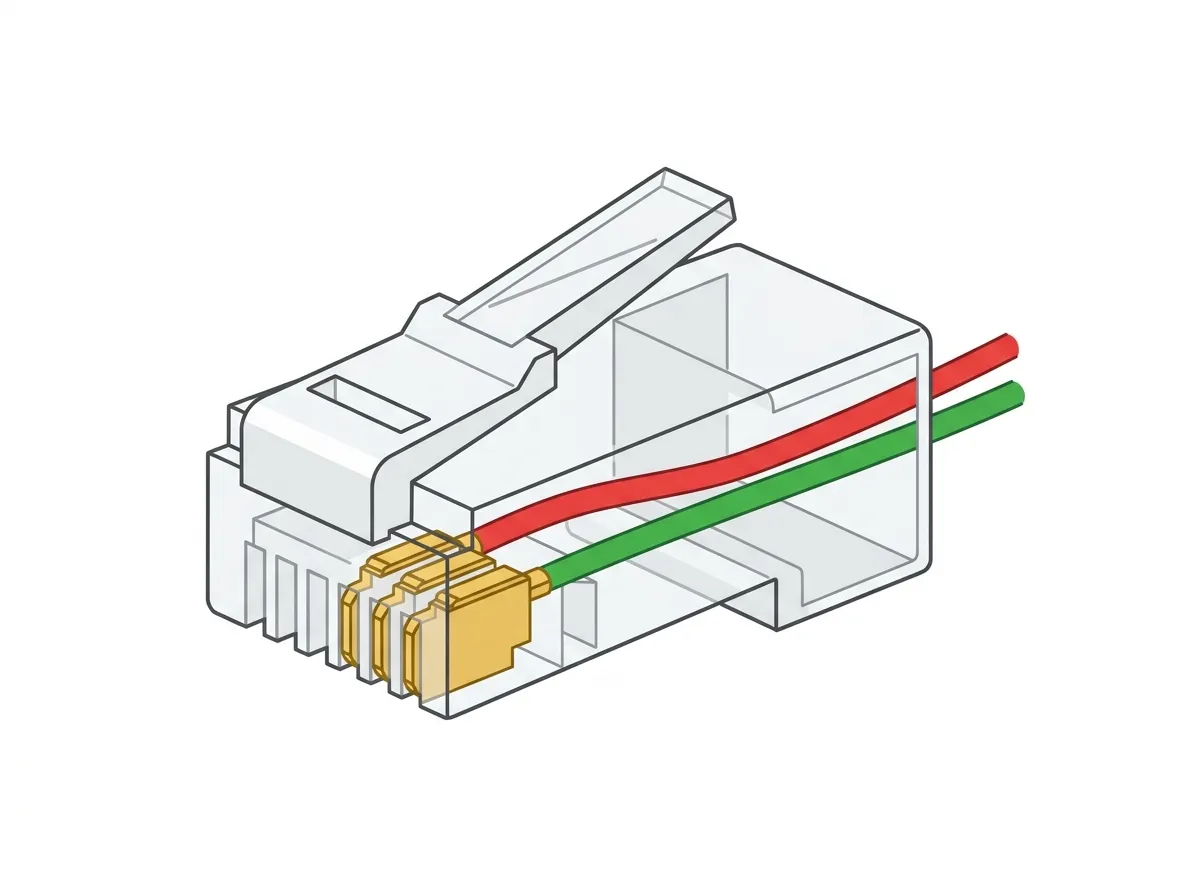
You can spot RJ11 by its size and contact count. It looks like a tiny clear plastic clip connector, similar to Ethernet but narrower, and it uses fewer positions and contacts than RJ45. Many RJ11 cords have 2 or 4 metal contacts visible, while RJ45 uses eight.
A common confusion point is physical fit. An RJ11 plug can sometimes slide into an RJ45 jack because the latch style is similar. That does not make it compatible. The alignment and pin usage are different, and forcing mismatched plugs can damage the jack over time.
A quick memory hook: RJ11 equals “1 line”. That lines up with how people used it, one phone line into a house.
Realistic examples you may see on the exam or on the job:
- A cordless home phone base plugged into a wall plate using an RJ11 cable.
- A DSL modem line-in connected to the wall jack (often with a DSL filter on the phone side).
RJ45, the Ethernet connector used for wired networking
RJ45 is the familiar connector for wired Ethernet. In practical terms, when the exam says Ethernet connector, it almost always wants “RJ45,” even though the modular plug is technically 8P8C (eight positions, eight contacts). For A+ purposes, treat RJ45 and Ethernet as the same identification target unless the question asks for strict terminology.
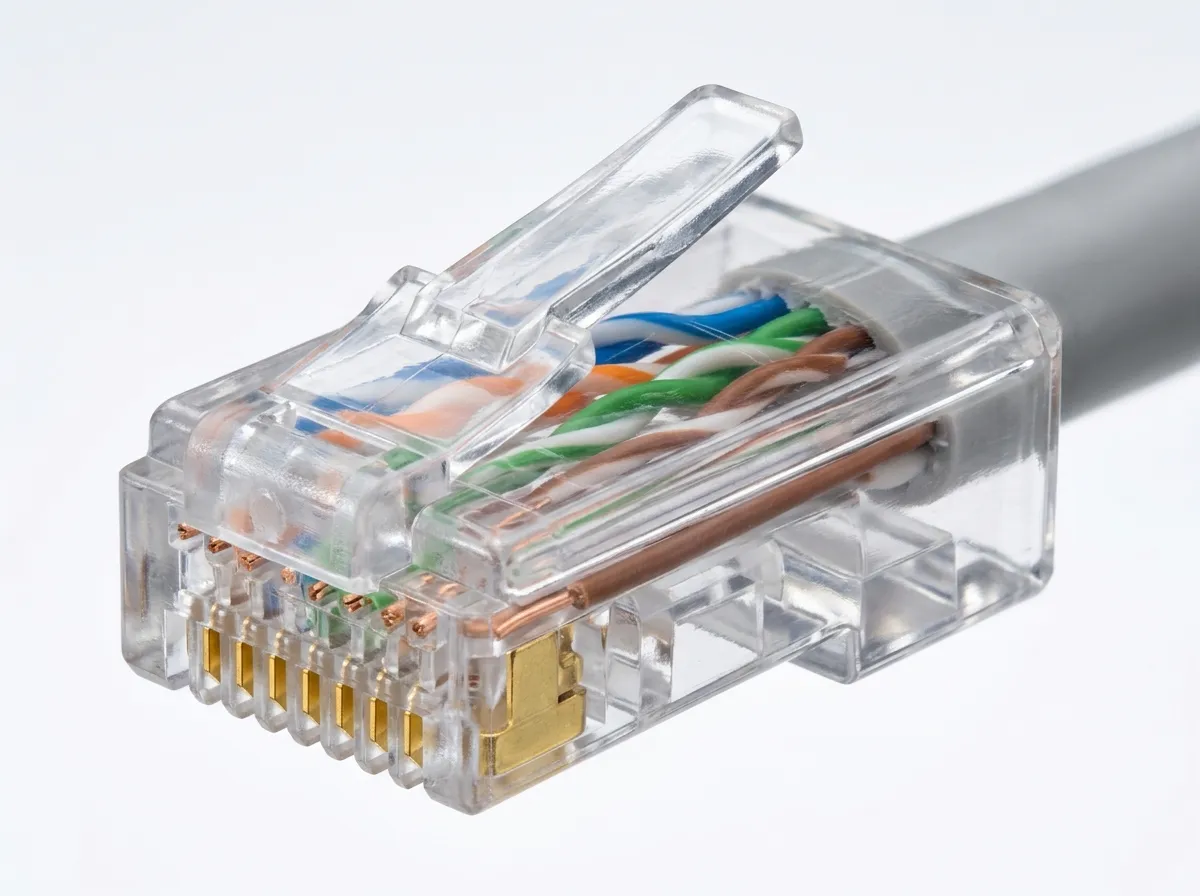
RJ45 carries network data over twisted-pair copper cabling. You will see it on:
- A computer’s NIC (network port)
- A switch or router
- A patch panel in a telecom room
- Wall jacks that feed desks and conference rooms
Identification is usually straightforward. RJ45 is wider than RJ11 and shows eight metal contacts across the end of the plug. It is commonly paired with Cat5e and Cat6 cables, which are typical in modern office runs and home networking.
When you need to confirm a live connection, look at the physical cues:
- Many NICs and switches have link/activity lights near the port.
- A solid link light usually means the cable is seated and the other end is connected.
- A blinking light often indicates traffic.
If a user says “the cable is plugged in,” the lights give you proof. No link light often points to a bad cable, a disabled port, a wrong VLAN setup on managed gear, or a dead switch port, depending on context.
F-type, the screw-on coax connector for cable and antenna signals
The F-type connector is the most common coax connector in homes. It’s used for cable internet, TV, and antenna feeds. You see it on cable modems, TVs, set-top boxes, and wall plates labeled “Cable” or “TV.”
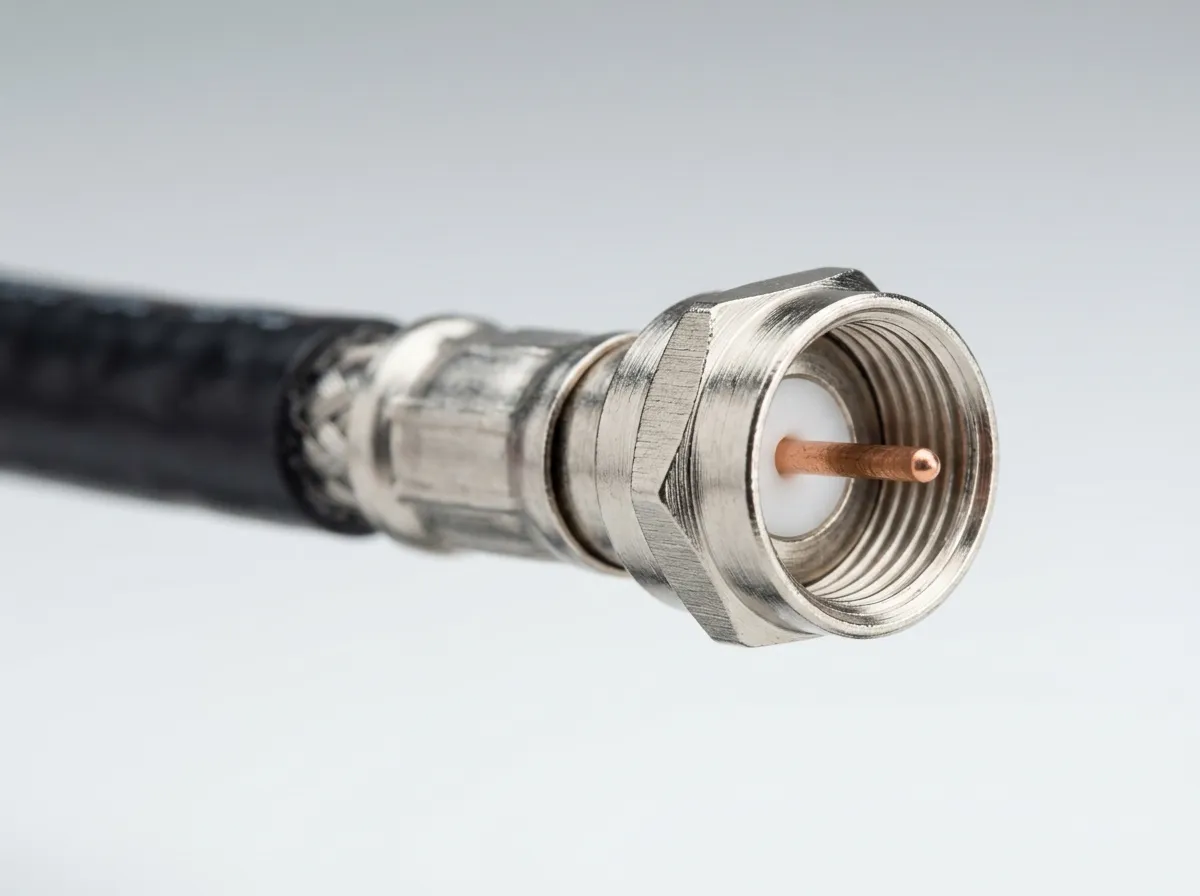
It has a distinct look. Unlike the plastic clip of RJ connectors, an F-type is a threaded metal connector that screws onto a matching port. The coax cable’s center conductor acts as the pin, so you will see a single copper wire sticking out at the end when the connector is installed correctly.
A basic caution matters for troubleshooting: loose fittings cause signal problems. Because it screws on, it can feel connected while still being too loose to make good contact. That can lead to intermittent internet drops, pixelated TV, or poor signal levels on a modem.
On the exam, you may also see the coax type named. RG6 is a common cable used for modern cable and satellite runs. You don’t need deep coax theory for A+, but you should recognize that F-type plus RG6 is a normal pairing in residential installs.
Punchdown blocks and patch panels, where cables terminate in structured wiring
A punchdown block is a termination point for twisted-pair copper where you seat each conductor into a slot using a punchdown tool. Instead of crimping an RJ45 end on every in-wall cable, structured cabling systems often run solid-core cable from rooms back to a central location, then terminate it on a block or patch panel.
You’ll see punchdown terminations in:
- A telecom closet or network rack
- The back of keystone wall jacks
- 110 blocks (common in voice and data installs)
- Patch panels used for Ethernet drops
The reason for this design is stability and organization. Solid cable stays fixed in walls and ceilings, and a punchdown termination keeps it secure. It also supports labeling, which matters when a building has dozens of drops. From the patch panel, you use short stranded patch cords to connect to a switch. That keeps wear off the in-wall cable and makes changes easier.
For the exam, remember the wiring standard callout: T568A vs T568B. You do not need to memorize every pin in this section, but you should know:
- They are color-code standards for terminating twisted-pair.
- Both ends of the same run should use the same standard for a straight-through cable.
- Mixed standards on opposite ends create a crossover-style wiring pattern (less common in modern networks, but still testable as a concept).
When a question mentions “terminate to a patch panel” or “use a punchdown tool,” it is pointing you toward punchdown blocks and structured wiring, not crimping a plug on the end of a solid cable run.
Fiber connectors in the real world: ST, SC, and LC and how to tell them apart fast
Fiber connector questions on the A+ exam often come as a photo or a short scenario. You do not need to calculate light loss or memorize deep optics. You need quick visual ID and one or two practical handling rules.
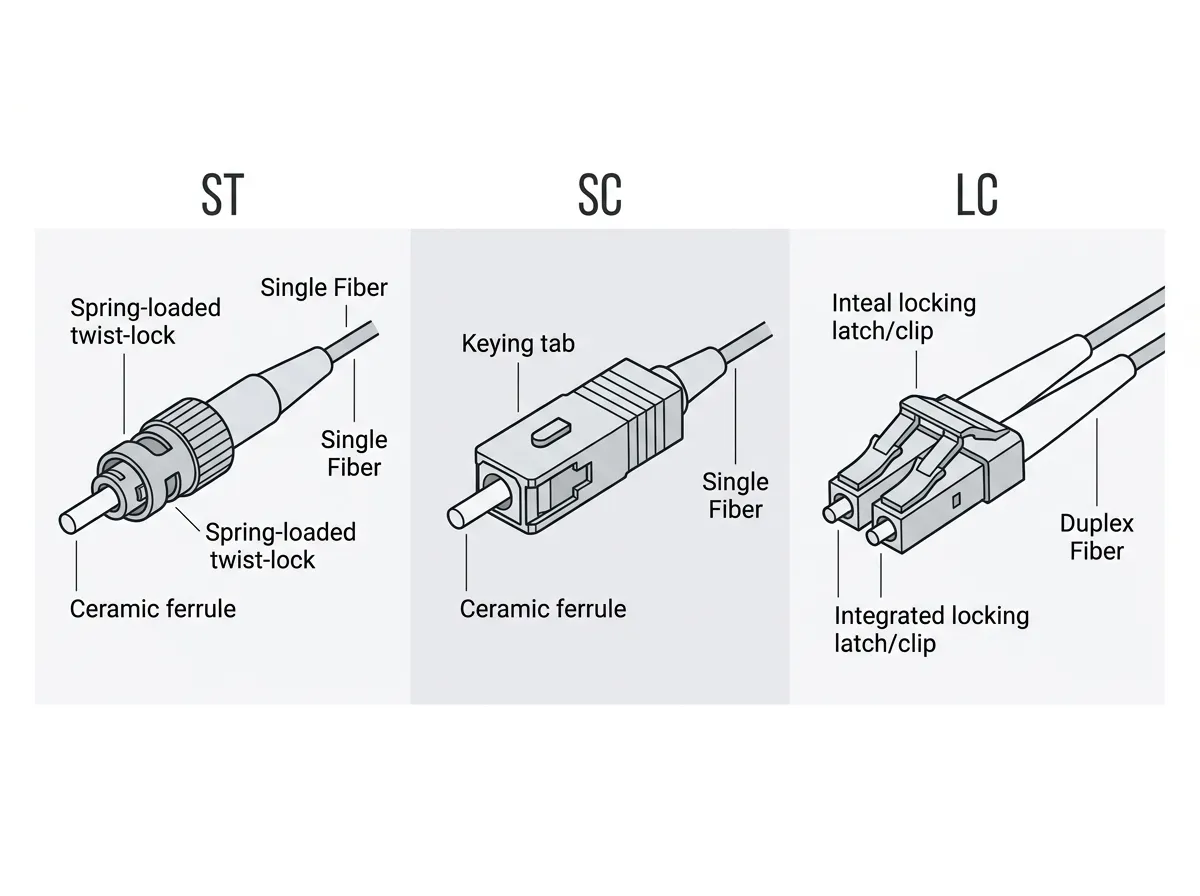
A reliable way to sort fiber connectors fast is to focus on three cues: the shape of the housing, the latch style, and the size. ST looks like a small metal cylinder with a twist lock. SC is a larger square connector that clicks in with a push-pull motion.