Every device that joins a network needs a handful of settings before it can communicate: an IP address, a subnet mask, a default gateway, and DNS server addresses. Someone could type those into every laptop, phone, and printer by hand, and in the early days of networking, someone did. The Dynamic Host Configuration Protocol (DHCP) exists so nobody has to. This article covers the fundamentals: the problem DHCP solves, the lease process itself, and where the service lives on real networks. The server-side configuration details, such as scopes, leases, reservations, and exclusions, get a full treatment in the dedicated DHCP Scopes, Leases, Reservations, and Exclusions article.
This maps to CompTIA A+ Core 1 (220-1201), Objective 2.4, the objective that covers DNS, DHCP, VLANs, and VPNs. For DHCP, the exam expects you to know why the protocol exists, what it delivers, and the four-step process a client uses to get an address, by name.
The problem DHCP solves
Before DHCP, network administrators configured every device manually with a static IP address. On a network of any size, that approach breaks down fast. Two machines accidentally given the same address create an IP conflict that knocks both offline. A single mistyped octet leaves a device unreachable. Every new device, every move, and every network change means someone visiting a machine to edit settings, and someone keeping a spreadsheet of which addresses are in use. Manual addressing doesn't scale, and it turns human error into the most common cause of outages.
DHCP replaces all of that with a central service. A device joins the network, asks for configuration, and receives a valid, unique set of settings automatically, usually within a second or two. The administrator manages addressing in one place instead of on every device.
What a DHCP lease contains
DHCP doesn't just hand out an IP address. A lease delivers the full starter kit a device needs to communicate:
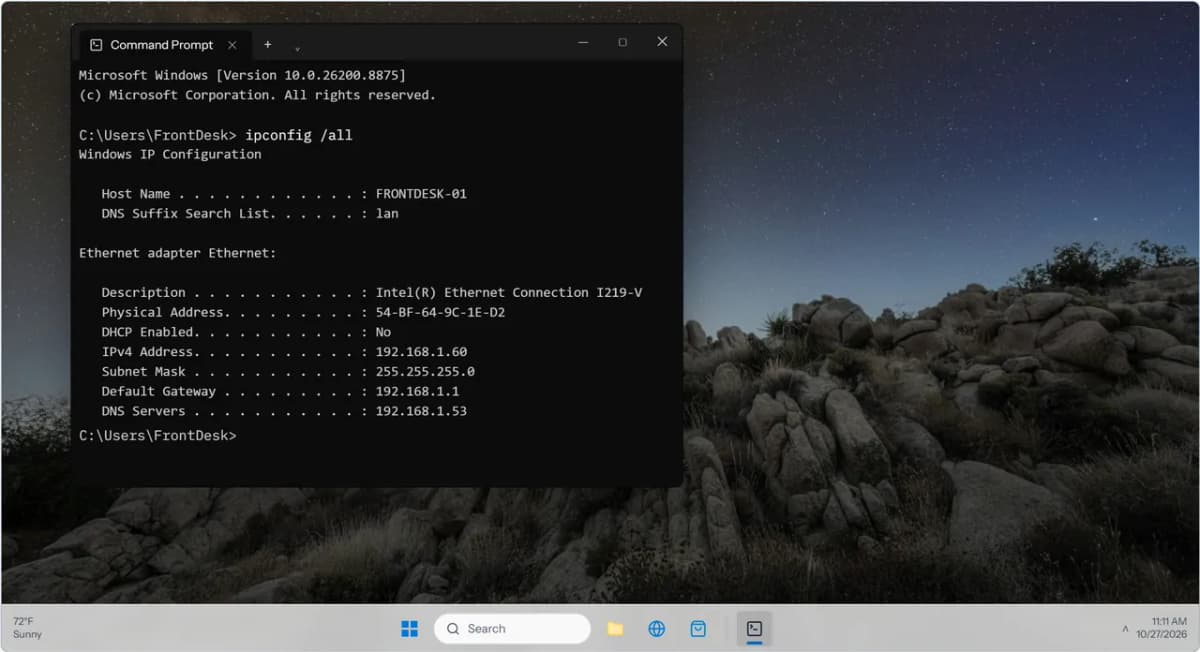
- An IP address, unique on the network
- The subnet mask, which defines the boundaries of the local network
- The default gateway, the router used to reach other networks
- One or more DNS server addresses, so names can be resolved to addresses
- A lease time, defining how long the device may use the address
Each piece matters. A device with an address but no gateway can talk to local neighbors but can't reach the internet. A device with no DNS servers can reach numeric addresses but can't resolve a name like a website. On the exam, remember that DHCP is responsible for the whole configuration, not just the address.
The lease time is the reason the word "lease" is used at all. Addresses are granted temporarily, not permanently, so that when a device leaves the network, its address eventually returns to the pool and can be reused. That's what keeps a busy wireless network from running out of addresses as devices come and go.
DORA: the four-step lease process
When a device needs an address, it and the DHCP server run a four-message conversation.