When a PC feels slow, many learners jump straight to RAM or the CPU. On the CompTIA A+ 220-1201 exam, storage basics still matter, because a simple drive choice can change speed, heat, and noise in a real system.
A hard disk drive (HDD) is a storage device that saves data on spinning magnetic platters. Objective 3.4 expects you to recognize common spindle speeds and the two most common HDD form factors, 2.5-inch and 3.5-inch.
This article compares spindle speed (RPM), physical size, and the everyday situations you’ll see on the job, including laptops, desktops, external drives, and small servers. SSDs exist and often outperform HDDs, but this article stays focused on HDD traits that A+ 220-1201 tests.
Spindle speed explained in plain English, what RPM changes for performance and noise
Spindle speed is measured in RPM (revolutions per minute). It tells you how fast the HDD platters spin. Picture a record player: a faster spin means the next track reaches the needle sooner. An HDD works in a similar way, except a read/write head moves across the platters to find data.
RPM affects performance in two broad ways:
First, it can reduce waiting time before data moves under the head. That waiting time is often described as average latency. You don’t need formulas for A+, but the idea matters: higher RPM usually means less waiting.
Second, RPM can influence how quickly the drive completes sustained reads and writes, especially for large files. When data passes under the head more often per minute, the drive has more chances to read and write.
The tradeoffs are just as important for the exam and for troubleshooting. Higher RPM tends to bring:
- More heat, because the motor works harder and friction increases
- More noise, both from the motor and from vibration
- Higher power draw, which matters in laptops and small enclosures
RPM is not a single “speed score.” Two drives with the same RPM can perform differently due to cache size, areal density (how much data fits per platter area), and the interface (SATA speeds, USB bridge quality in externals). Still, RPM remains a reliable clue when you’re asked to match an HDD to a device or explain a symptom like excess noise.
Common HDD spindle speeds you should recognize for A+ 220-1201
You’ll see a small set of RPM values again and again on practice tests and in the field. Memorize the associations, not just the numbers.
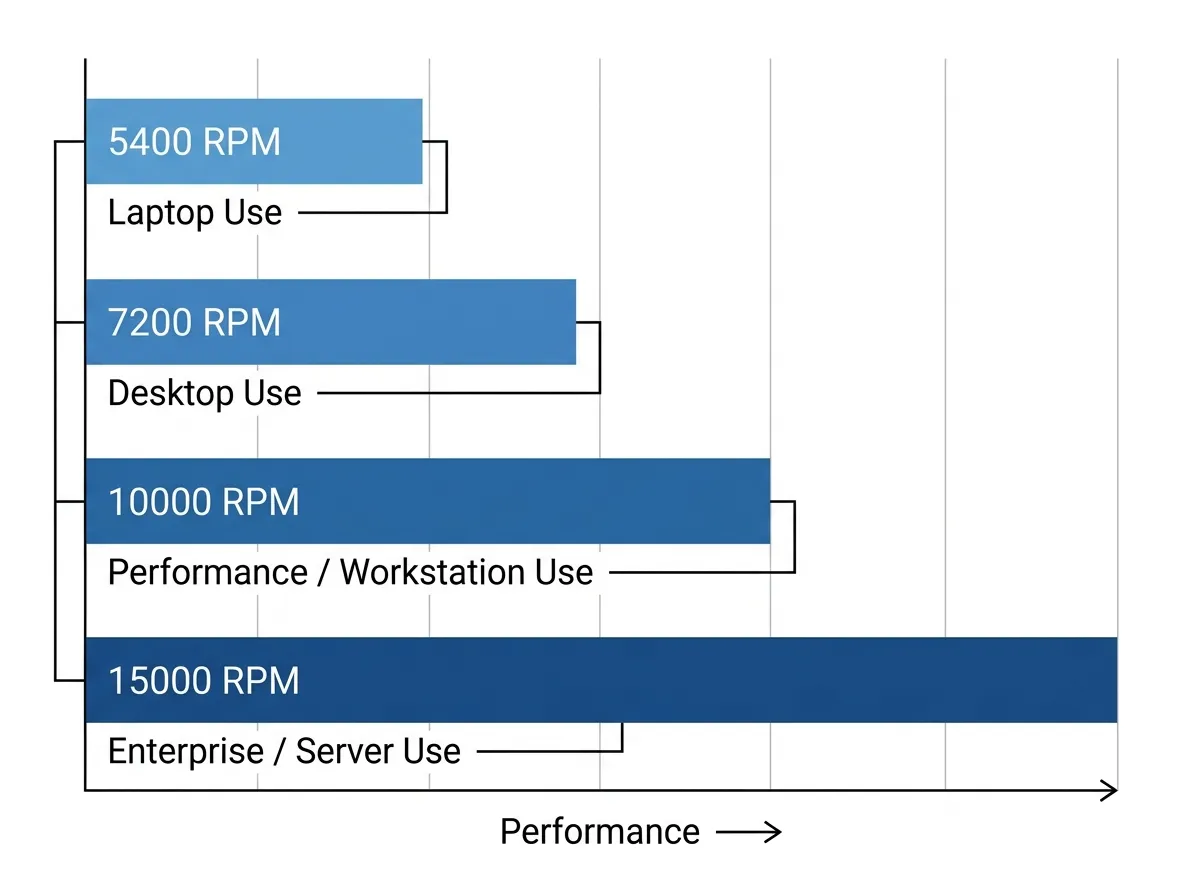
| Spindle speed (RPM) | Where it commonly shows up | Practical expectation |
|---|---|---|
| 5,400 | Older laptops, budget external HDDs, quiet PCs | Lower heat and noise, lower performance |
| 7,200 | Desktop HDDs, many NAS-class consumer drives | Balanced performance and cost |
| 10,000 | Older performance drives, some workstations | Faster, louder, warmer, less common now |
| 15,000 | Enterprise servers (mostly older HDD arrays) | High performance, high power, rare in PCs |
A useful exam habit is to treat 7,200 RPM as the default “desktop-class HDD” answer when you’re not given extra details. Treat 5,400 RPM as common for mobile or low-noise use. Treat 10,000 and 15,000 RPM as performance or enterprise options, often paired with better cooling and power budgets.
Remember the caution: RPM alone doesn’t guarantee speed. A newer 5,400 RPM drive with higher areal density can sometimes feel close to an older 7,200 RPM model for certain tasks.