Ethernet is the most common technology used to connect devices within a wired local area network. It allows computers, printers, servers, switches, wireless access points, security cameras, and other devices to exchange data through physical network connections.
In a typical Ethernet network, a device connects to a switch using twisted-pair copper cabling or fiber-optic cabling. The switch receives Ethernet frames and forwards them toward the correct destination. In a structured business network, the cable path may also pass through a wall jack and patch panel before reaching the switch.
Understanding this physical path is important for CompTIA A+ technicians. Many connectivity problems are caused by damaged cables, loose connectors, incorrect patch-panel connections, disabled network interfaces, or failed switch ports.
What Is Ethernet?
Ethernet is a family of networking standards used primarily within local area networks. These standards define how devices connect, how data is formatted, and how information is transmitted across the physical network.
Ethernet is commonly used in:
Homes
Offices
Schools
Data centers
Medical facilities
Retail stores
Industrial environments
Most modern Ethernet connections use an RJ45-style connector and twisted-pair copper cable. Higher-speed or longer-distance connections may use fiber-optic cabling.
Ethernet standards support several speeds. Common examples include:
100 megabits per second
1 gigabit per second
2.5 gigabits per second
5 gigabits per second
10 gigabits per second
The speed a connection can support depends on the network interface, switch, cable category, cable condition, and cable length.
Ethernet Within a Local Area Network
A local area network, or LAN, connects devices within a limited geographic area such as a home, classroom, office, or building.
Ethernet provides the wired connections within many LANs. A basic Ethernet LAN may include computers connected directly to a switch. A larger network may include wall jacks, patch panels, several switches, servers, wireless access points, and routers.
Consider a small office with ten desktop computers. Each computer may connect through an Ethernet cable to a nearby wall jack. Cabling inside the walls carries the connection back to a patch panel in a network closet. A short patch cable then connects the patch-panel port to a switch.
The physical path may look like this:
Computer → patch cable → wall jack → permanent cable → patch panel → patch cable → switch
The switch connects the computers so they can communicate with local devices and access other networks through a router.
Ethernet Frames
Information sent across an Ethernet network is organized into units called frames.
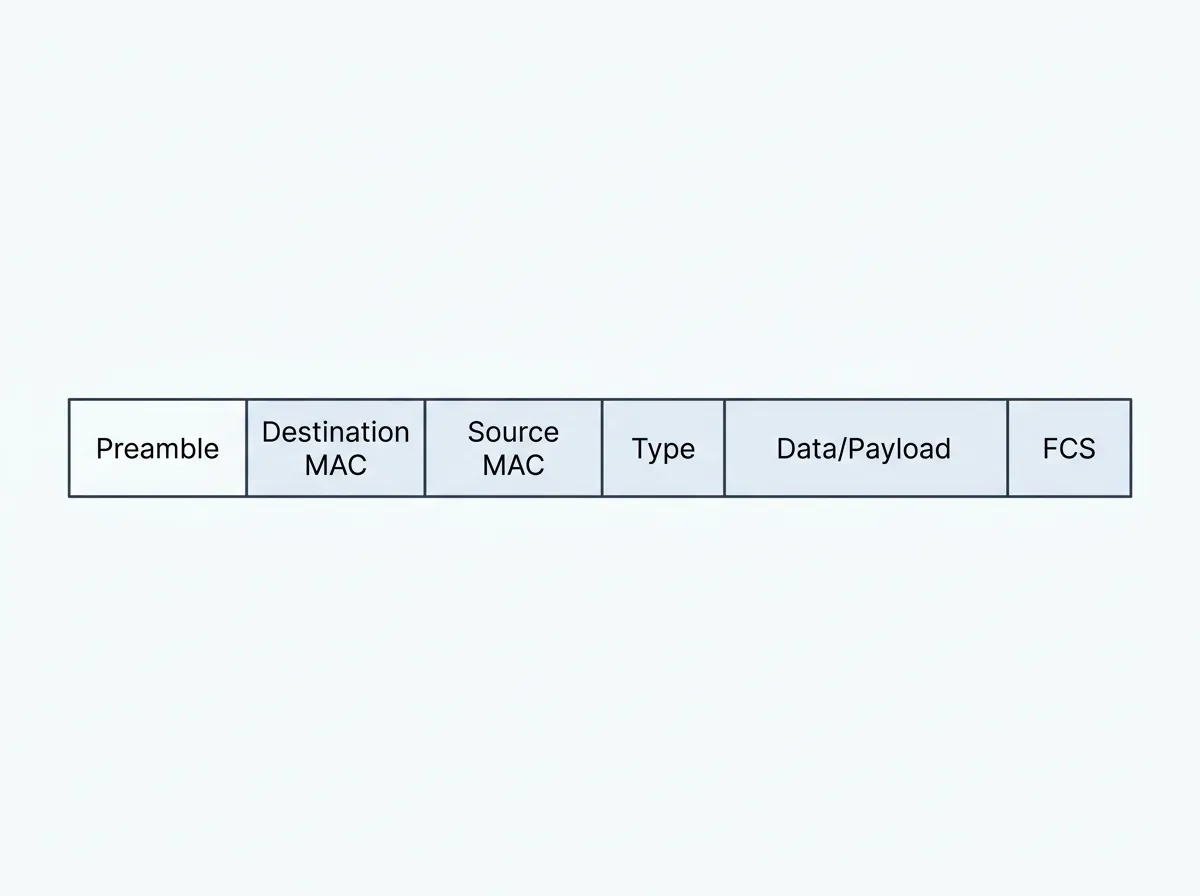
An Ethernet frame contains the data being transmitted along with information required for local delivery. Important frame information includes:
Source MAC address
Destination MAC address
Payload
Error-detection information
The source MAC address identifies the network interface that sent the frame. The destination MAC address identifies the local network interface intended to receive it.
Switches examine the destination MAC address and use it to determine which switch port should receive the frame.
Ethernet frames are different from IP packets. Frames are used for local delivery across an Ethernet connection, while packets use IP addresses to move information between different networks.
Physical Networking
Physical networking refers to the hardware and transmission media used to connect devices.
This includes:
Ethernet cables
Fiber-optic cables
Connectors
Network interface cards
Switches
Wall jacks
Keystone jacks
Patch panels
Equipment racks
Cable-management systems
The physical network provides the foundation for every higher-level networking function. A device cannot receive an IP address, access a server, or reach the internet if its physical connection is not working.
For this reason, A+ technicians often begin troubleshooting by checking the physical network.
Ethernet Cables
An Ethernet cable carries signals between network devices.
The most common Ethernet cables use twisted pairs of copper wires. The wires are twisted together to help reduce electromagnetic interference and crosstalk.
Common twisted-pair cable categories include:
Cat 5e
Cat 6
Cat 6a
The cable category helps determine the speeds and distances the cable can reliably support.
Most copper Ethernet connections have a maximum channel length of approximately 100 meters. This total normally includes the permanent cable inside the building and the patch cables at both ends.
A cable that is damaged, poorly terminated, or excessively long may cause slow speeds, intermittent connectivity, packet loss, or a complete loss of connection.
Patch Cables
A patch cable is a relatively short Ethernet cable used to connect devices to network ports.
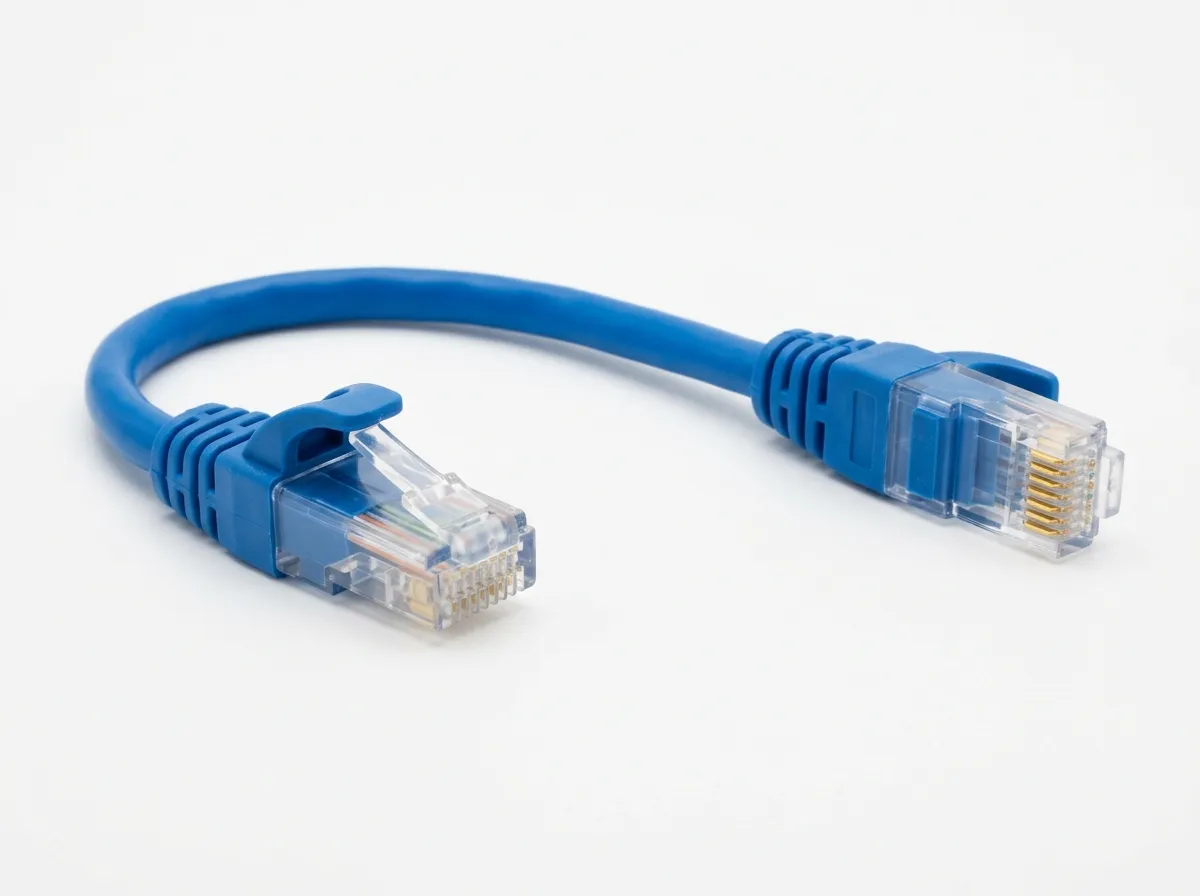
Examples include:
Connecting a computer to a wall jack
Connecting a printer to a switch
Connecting a patch panel to a switch
Connecting a router to a switch
Connecting a wireless access point to a network jack
Patch cables commonly use stranded conductors, which make them more flexible than permanent building cable.
Patch cables are available in different lengths and categories. A technician should select a cable that supports the required network speed and is long enough to reach without creating unnecessary cable clutter.
Network Interface Cards
A network interface card, commonly called a NIC, allows a device to connect to a network.
A NIC may be built into the motherboard, installed as an expansion card, or attached through USB or another external connection.
An Ethernet NIC normally includes:
An Ethernet port
A MAC address
Link and activity indicators
Speed and duplex capabilities
A device driver
The NIC converts data from the computer into signals that can travel across the Ethernet connection. It also receives incoming signals and converts them back into data that the operating system can process.
Built-In and Add-On NICs
Most desktop and laptop computers include a built-in network interface.
A desktop computer may also use a PCIe network card when the built-in interface fails or when the user needs additional ports or faster speeds.
Laptops without a built-in Ethernet port may use a USB Ethernet adapter or docking station.
Servers may include several Ethernet interfaces. Multiple interfaces can be used for redundancy, increased bandwidth, network separation, or management access.
NIC Link and Activity Lights
Ethernet ports often include small indicator lights.
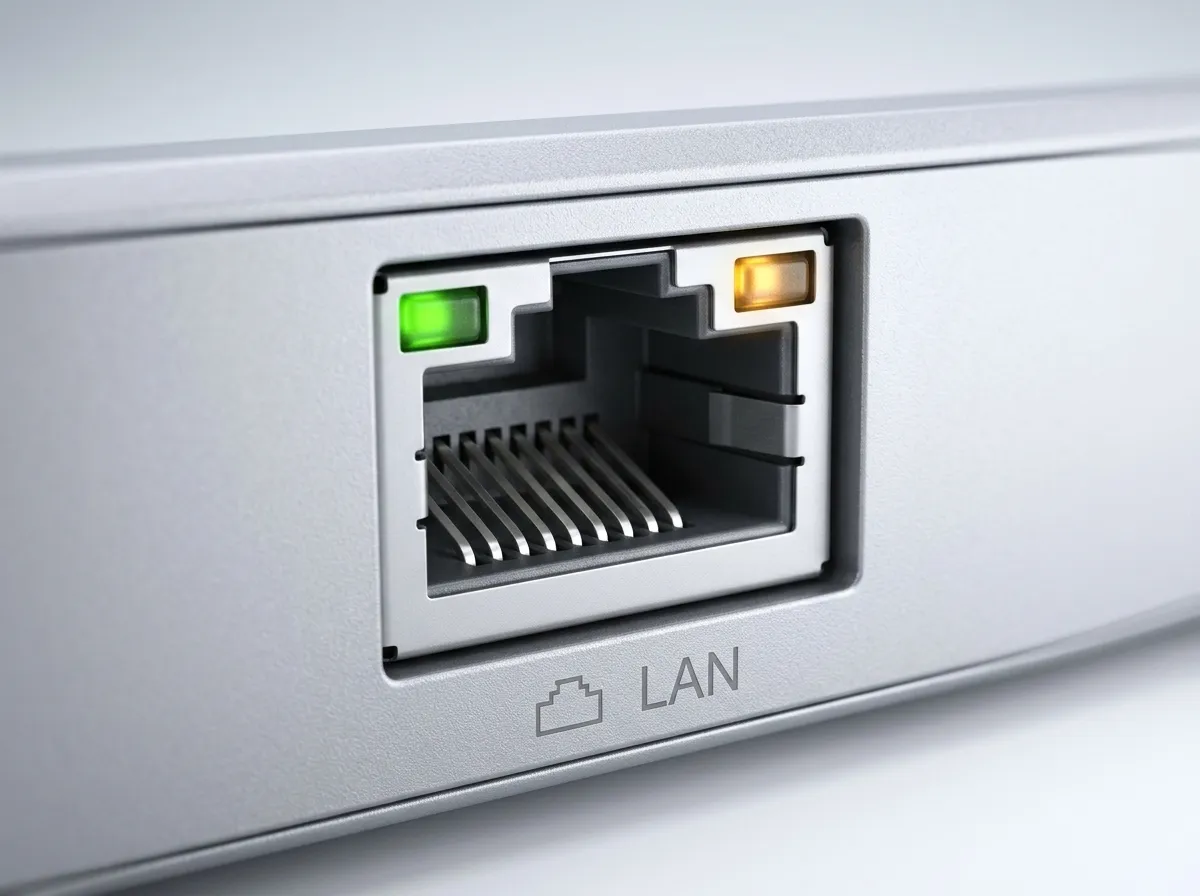
A link light normally indicates that the NIC has established a physical connection with another network device. An activity light flashes when data is being transmitted or received.
Some ports use different colors to indicate the negotiated connection speed. The exact meanings vary by manufacturer.
If there is no link light, possible causes include:
Disconnected cable
Damaged cable
Failed NIC
Disabled network interface
Failed switch port
Powered-off switch
Poor termination
Incorrect transceiver or cable type
A link light does not guarantee that the device has a valid IP address or can access the internet. It only shows that a basic physical connection has been established.
NIC Drivers
The operating system requires a driver to communicate with the network interface.
A missing, corrupted, or incompatible driver may prevent the NIC from functioning correctly. The interface may be missing from the operating system, display a warning symbol in Device Manager, or repeatedly disconnect.
When troubleshooting a NIC, the technician should verify that:
The interface appears in Device Manager
The interface is enabled
The correct driver is installed
No hardware warning is displayed
The speed and duplex settings are appropriate
Updating or reinstalling the driver may resolve some connectivity problems.
MAC Addresses
Each Ethernet interface has a Media Access Control address, commonly called a MAC address.
A MAC address is used to identify a network interface on the local network. It is normally written as six pairs of hexadecimal characters, such as:
00:1A:2B:3C:4D:5E
Switches learn which MAC addresses are connected to each port. When a switch receives a frame, it examines the destination MAC address and forwards the frame through the appropriate port.
A computer with both an Ethernet adapter and a Wi-Fi adapter normally has a different MAC address for each interface.
Ethernet Switches
A switch connects devices within a local area network.
Each device connects to a switch port using Ethernet cabling.