Every device that talks on the internet needs an address, and for decades that address was an IPv4 number. The problem is simple: there aren't enough of them left. IPv6 is the replacement designed to solve that shortage, and it does so with a much larger and differently formatted address.
CompTIA A+ Core 1 (220-1201) Objective 2.6 covers IP addressing and SOHO networks, and IPv6 is part of what you're expected to recognize. On the exam, you need to identify a valid IPv6 address, apply its shorthand rules, and know the common address types and how IPv6 coexists with IPv4. This article stays focused on those points and on what a technician actually sees when troubleshooting a live network.
Why IPv6 exists, and what the bigger address really buys you
IPv4 uses a 32-bit address, which gives roughly 4.3 billion possible addresses. That sounded enormous in the 1980s. Today, with phones, laptops, servers, cameras, and appliances all online, that pool is exhausted. Techniques like NAT (Network Address Translation) stretched IPv4 by letting many devices share one public address, but that's a workaround, not a fix.
IPv6 uses a 128-bit address. That produces about 340 undecillion addresses, a number large enough that address scarcity effectively disappears. In practical terms, this means every device can have its own public address, and NAT becomes optional rather than mandatory.
In exam terms, remember the core contrast: IPv4 is 32-bit and written in dotted decimal, while IPv6 is 128-bit and written in hexadecimal. That single fact answers a lot of questions.
Reading an IPv6 address, eight groups of hexadecimal
An IPv6 address is written as eight groups of four hexadecimal digits, separated by colons. Each group represents 16 bits, and eight groups of 16 bits gives you the full 128 bits. A complete address looks like this:
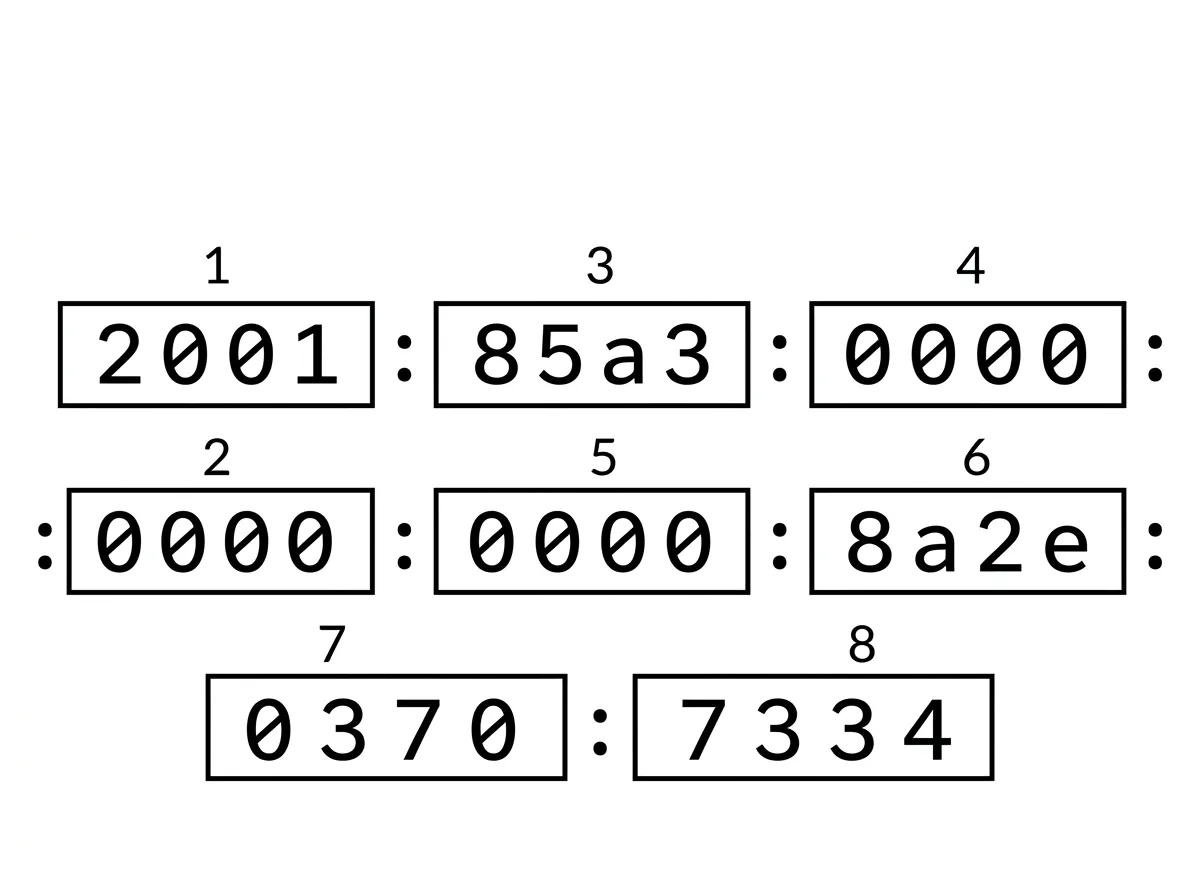
2001:0db8:0000:0000:0000:ff00:0042:8329
Hexadecimal uses the digits 0 through 9 and the letters a through f, so seeing letters in an address is normal and expected. The colons separate the groups the way periods separate octets in IPv4.
Writing all 32 hex digits every time is tedious, so IPv6 defines two shortening rules that you must know.
Rule one, drop the leading zeros in each group
Within any single group, you can remove leading zeros. A group of 0db8 becomes db8, and a group of 0042 becomes 42. A group of 0000 becomes just 0. You only drop zeros at the front of a group, never zeros in the middle or trailing zeros that carry value.
Rule two, collapse one run of zero groups with a double colon
A run of consecutive all-zero groups can be replaced with a double colon (::). Applying both rules to the address above gives you:
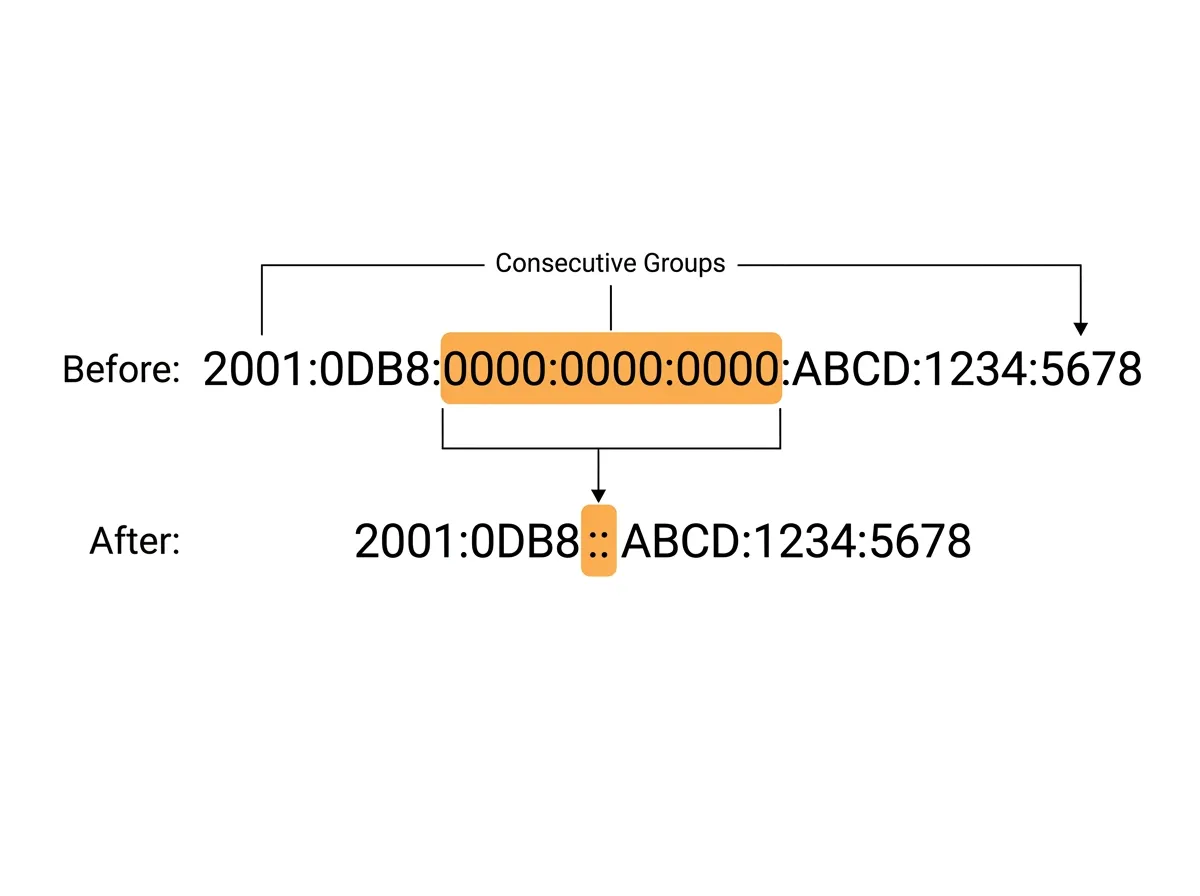
2001:db8::ff00:42:8329
The double colon can appear only once in an address. If you allowed it twice, there would be no way to know how many zero groups each one represented. When a device reads a double colon, it expands it with enough zero groups to bring the total back to eight. In exam terms, an address with two double colons is invalid, and that's a common trick answer.
The address types you actually encounter
IPv6 doesn't have a single "the address" per interface. A working interface usually holds several addresses at once, each with a purpose. Three types matter most for the A+.
A link-local address is used only for communication on the local network segment and is never routed to the internet. Every IPv6 interface generates one automatically, and they all start with the same prefix: fe80::. If you run ipconfig on Windows and see an address beginning with fe80, that's the link-local address.