The motherboard is the main circuit board inside a computer. It acts as the central connection point for the system’s most important components, including the CPU, RAM, storage drives, power supply, expansion cards, cooling devices, and external ports. Without the motherboard, the parts of the computer would not be able to communicate with each other.
A simple way to think about the motherboard is to compare it to a city. The CPU is like the city’s main office, RAM is like short-term workspace, storage is like long-term records, and the power supply is like the electrical grid. The motherboard is the road system that connects everything together. If the motherboard does not support a part, that part cannot be used in the system.
For an IT support technician, understanding motherboards is important because many hardware problems are connected to the motherboard in some way. A computer that will not start, does not detect storage, has no display, randomly shuts down, or cannot use a certain upgrade may have a motherboard-related issue.

Why the Motherboard Matters
The motherboard determines what a computer can support. It controls what CPU can be installed, what type of RAM can be used, how many storage drives can connect, what expansion cards can be added, and what features are available in the system firmware.
For example, two computers may look similar from the outside, but their motherboards may support completely different hardware. One motherboard may support a full-size graphics card, multiple M.2 SSDs, and four sticks of RAM. Another motherboard may only support a smaller expansion card, one storage drive, and two sticks of RAM.
This is why technicians must understand motherboard specifications before upgrading or repairing a system. Installing the wrong type of RAM, using an unsupported CPU, or choosing a case that does not fit the motherboard can prevent the system from working.
Motherboard Form Factors
A motherboard’s form factor refers to its physical size, shape, and layout. The form factor determines what type of case the motherboard can fit into and how much room it has for components.
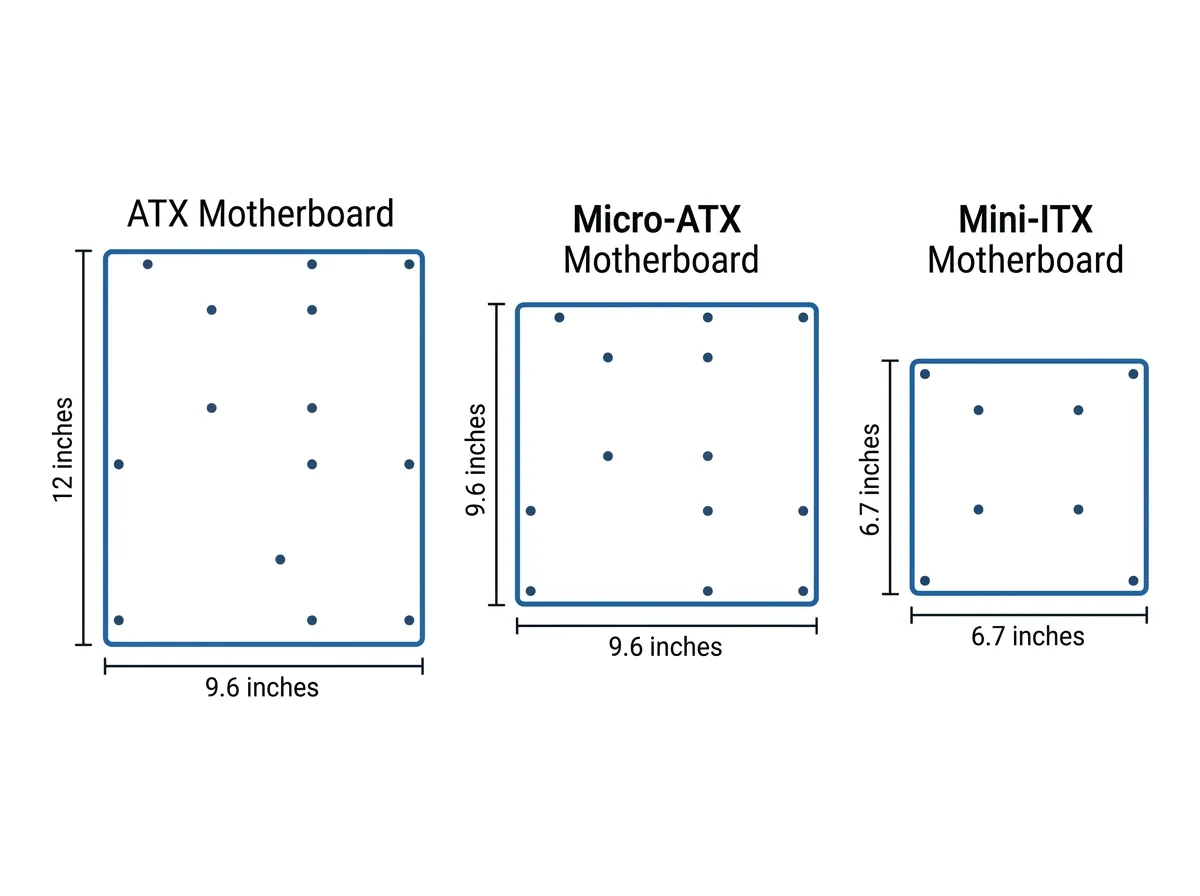
Common motherboard form factors include ATX, microATX, and ITX. ATX motherboards are larger and usually provide more expansion slots, RAM slots, and internal connectors. microATX motherboards are smaller but still provide enough features for many standard desktop computers. ITX motherboards are much smaller and are often used in compact systems where space is limited.
The form factor affects more than just size. It also affects airflow, cable management, upgrade options, and ease of repair. Larger motherboards usually offer more room to work, while smaller motherboards may require more careful planning because components are packed closer together.
Motherboard Connector Types
Motherboards include many different connector types. Each connector has a specific purpose, and using the wrong connector can prevent a device from working.
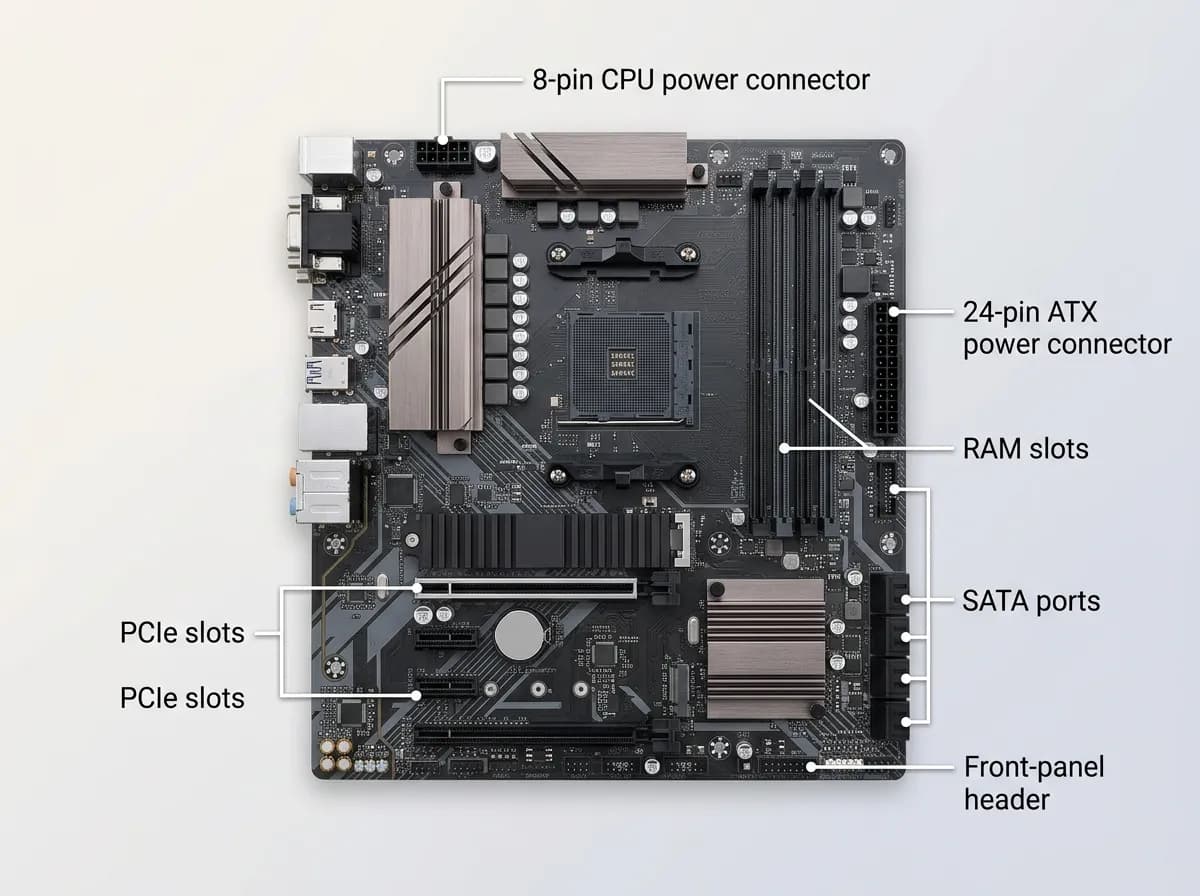
Power connectors bring electricity from the power supply to the motherboard and CPU. SATA connectors are commonly used for storage drives such as hard drives and SATA SSDs. M.2 connectors are often used for modern SSDs and sometimes wireless cards. PCIe slots allow expansion cards, such as graphics cards, network cards, sound cards, and capture cards, to connect to the system.
Motherboards also include internal headers. Headers are small sets of pins used to connect case buttons, front-panel USB ports, audio jacks, fans, and lighting.