Behind the neat rows of Ethernet jacks in an office wall is a lot of cable that has to go somewhere. That somewhere is usually a rack or a wall in a telecom closet, and the devices that organize it all are patch panels and punchdown blocks. They don't power on, they don't have an IP address, and they never appear in Device Manager, which is exactly why students overlook them.
CompTIA A+ Core 1 (220-1201) Objective 2.5 asks you to compare and contrast common network devices. Patch panels and punchdown blocks are the passive termination hardware in that list. The exam expects you to recognize what each one is, where it sits in a cabling run, and how a technician terminates a cable onto it. This article stays on those points: the physical hardware, the tools, the wiring standards involved, and the real-world mistakes that cause bad connections.
Where this hardware fits in structured cabling
To understand why patch panels exist, you have to see the whole structured cabling system, because the panel is one defined piece of it. Structured cabling is the standardized, documented way buildings are wired so that any jack can be connected to any switch port in a predictable manner. It breaks into a few named segments, and patch panels sit at the boundaries between them.
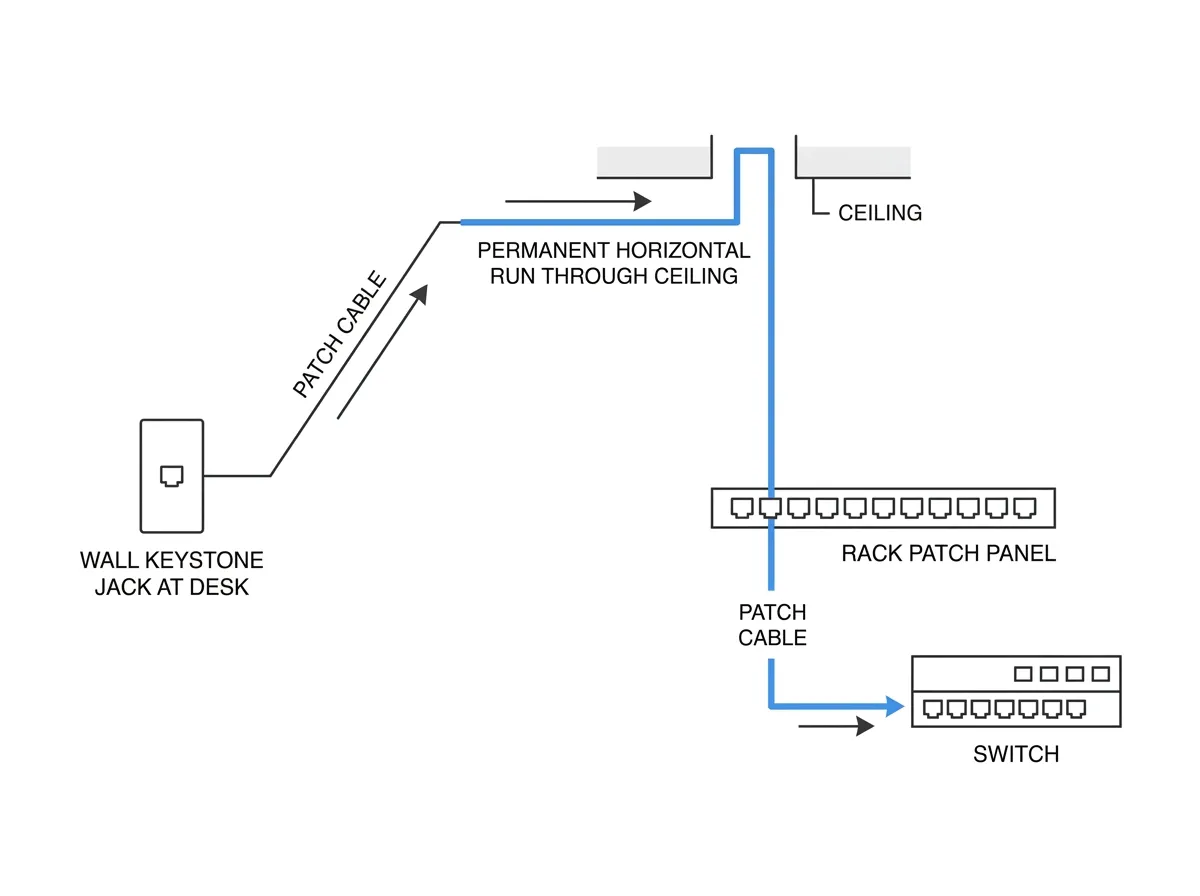
The run from a wall jack back to the closet is the horizontal cabling, and it terminates on a patch panel. The industry limit for that run is 90 meters of solid permanent cable, plus up to 10 meters of stranded patch cords on both ends combined, for a 100-meter total channel. The stretch of cable that is fixed in place, from the jack to the back of the panel, is called the permanent link. The short, flexible cords you plug into the front, from panel to switch and from wall jack to PC, are patch cords. Keeping those two roles separate is the entire point of the hardware in this article: the permanent link is built once and never touched, and all day-to-day changes happen with patch cords.
Patch panels give permanent cable runs a clean, reusable endpoint
A patch panel is a passive device, usually rack-mounted, that terminates the fixed cabling running through your walls and ceilings. Think of it as the organized front door for every horizontal cable pulled from a wall jack back to the closet. One side of the panel has permanent connections where the building cabling is terminated; the front has standard RJ45 ports.
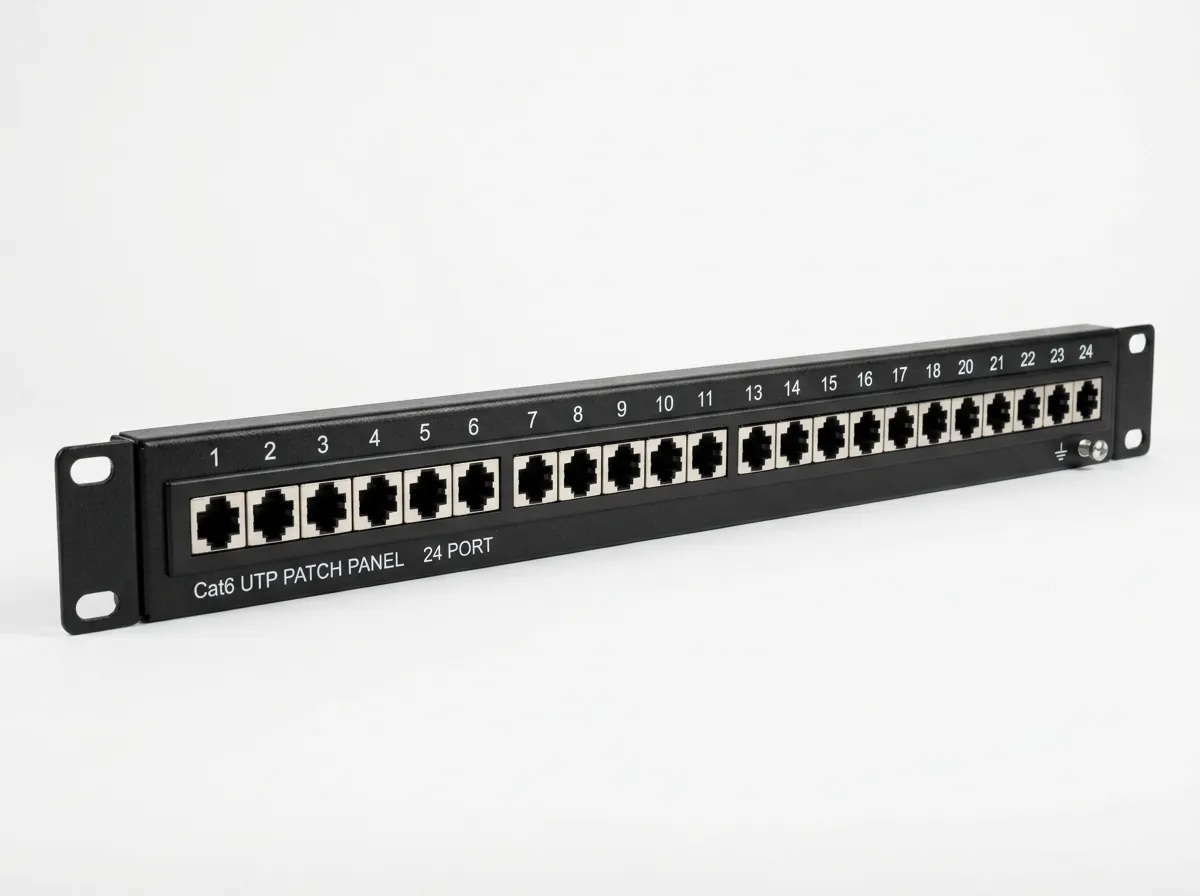
Here's why that matters on the job. The cable buried in the wall is solid-core and not meant to be plugged and unplugged repeatedly. Bending and reconnecting solid cable breaks it. So the wall cable is terminated once onto the back of the patch panel and left alone. From the front RJ45 ports, you use short, flexible stranded patch cables to connect each port to a switch. If a device moves or a port fails, you move a patch cable, not the wall wiring.
Patch panels come in standard rack widths of 19 inches and are sized by port count, commonly 24 or 48 ports, taking up 1U or 2U of rack space. The back of the panel typically uses insulation-displacement contacts, the same punchdown style used on standalone blocks, so terminating a patch panel and terminating a block use the same tool and the same skills.
Panels come in two broad styles worth recognizing. A feedthrough or keystone panel is just an empty frame of holes into which you snap pre-terminated keystone jacks, so the panel itself has no wiring, and you punch down the jack in your hand before clicking it into place. A punchdown panel has the IDC contacts built directly onto the rear of the panel, so you punch the horizontal cable straight onto the panel. Panels are also rated by category to match the cable, meaning a Cat 6 run should terminate on a Cat 6-rated panel and jack; putting a Cat 6 cable on a Cat 5e panel drags the whole channel down to the lower rating.
In exam terms, remember that a patch panel is passive: it does not switch, route, or amplify anything. It only provides a clean, physical termination point. If a question describes a rack-mounted device that organizes wall cabling into front-facing RJ45 ports with no electronics inside, that's a patch panel.
Keystone jacks: the wall-end termination
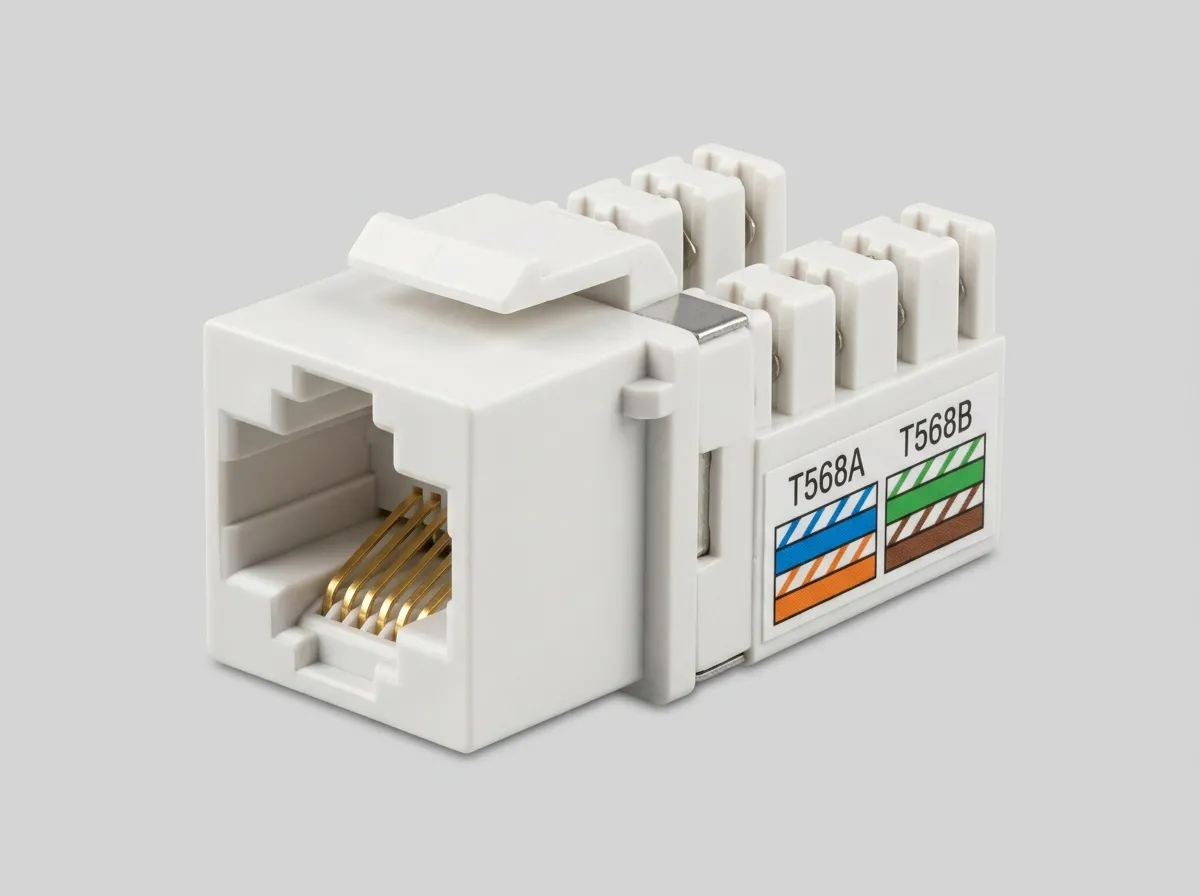
The far end of the permanent link, out at the desk, is a keystone jack. A keystone is a small, snap-in RJ45 module that terminates the solid horizontal cable into a female port the user plugs into. It seats into a wall plate, a surface-mount box, or a feedthrough patch panel, and it is standardized so jacks from different vendors fit the same openings. On the back of the jack are the same IDC contacts found on a panel, printed with both wiring color codes, so terminating a keystone is the same punchdown skill applied at the wall end. Every horizontal run therefore has two punchdown terminations: one onto the patch panel in the closet, and one onto the keystone jack at the workstation.
Punchdown blocks terminate wires without connectors, using displacement contacts
A punchdown block is a plastic-and-metal terminating device that holds individual wires in place using metal contacts. You don't crimp a connector on the end of the wire. Instead, you lay each conductor across a slot, and a tool forces the wire down into a spring-loaded metal blade. The blade slices through the wire's insulation and grips the copper inside.