If a single drive fails, a PC can go from "fine" to "down" in seconds. RAID (Redundant Array of Independent Disks) reduces that risk, improves speed, or both by combining multiple drives into one logical storage unit. For CompTIA A+ 220-1201 Objective 3.4, you don't need to design enterprise storage, but you do need to recognize RAID 0, 1, 5, 6, and 10 on sight and predict what happens when a disk dies.
This guide walks through each level's mechanics, minimum drives, capacity math, fault tolerance, performance, and rebuild behavior, then covers parity, hot spares, hardware versus software RAID, and how to pick a level from a scenario, exactly how the exam asks it. The goal: see a RAID label on a ticket and know what it implies.

RAID combines drives for speed or uptime, but it is never a backup
RAID turns several physical drives into one array the system treats like a single disk. Depending on the level, it improves performance (often reads), uptime (surviving a drive failure), or both. What RAID does not do is protect against deletion, corruption, malware, theft, or fire: if a user deletes a file or ransomware encrypts it, every drive records that change at the same instant. RAID is redundancy, not backup, and CompTIA loves to offer "the data was on RAID 1" as a wrong answer to a recovery scenario.
Three building blocks make every level in this article:
- Striping splits data across drives in chunks, so multiple drives read or write parts of a file at the same time, which increases speed.
- Mirroring writes the same data to two drives. If one fails, the other still holds a complete, immediately usable copy.
- Parity stores calculated information that can re-create missing data if a drive fails. It is not a copy of files; it is a repair formula spread across the array.
Every RAID level trades usable capacity, fault tolerance, and performance against each other; you cannot maximize all three, and each level below is a different position in that trade-off. One rule applies to all: drives in an array should match, because the array sizes every member to the smallest drive and wastes the extra space on larger ones. The smallest drive sets the usable size.
RAID 0 stripes everything for speed and survives nothing
RAID 0 is pure striping. Incoming data is chopped into chunks (often 64 KB or 128 KB, the stripe size) and written round-robin: the first chunk lands on drive one, the second on drive two, and so on. Because all drives read and write in parallel, performance scales with the number of drives; a two-drive stripe can approach double the throughput of a single disk.
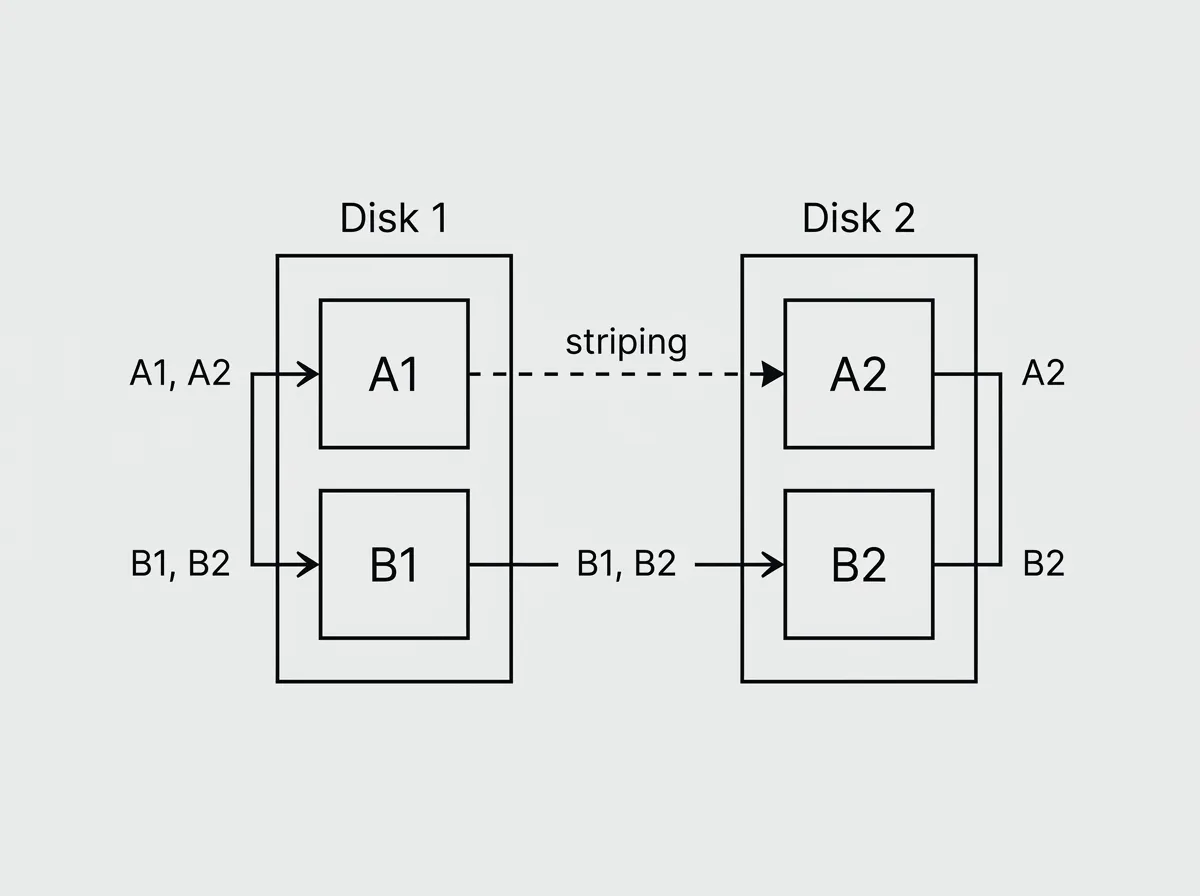
RAID 0 needs at least 2 drives, and usable capacity is the sum of all members: four 2 TB drives give about 8 TB usable, with nothing lost to redundancy. That efficiency is the trap. Fault tolerance is exactly zero. Every file is scattered across every drive, so if any one drive fails, every file is missing pieces and the entire array is gone. There is no degraded mode and no rebuild; recovery means restoring from backup. Adding drives only raises the odds of total loss.
RAID 0 fits temporary, replaceable data where speed matters more than survival: a video editor's scratch disk, a cache volume, a gaming rig. Exam tip: "one drive failed and all data was lost" describes RAID 0, which is neither fault tolerant nor a backup.
RAID 1 mirrors every write so one drive can die without downtime
RAID 1 is mirroring. Every block written to the array is written identically to both drives, so at any moment either disk holds a complete copy of everything. It requires 2 drives (three-way mirrors exist but are rare). Usable capacity is the size of one drive: two 2 TB drives give about 2 TB usable, a 50 percent overhead that never improves.
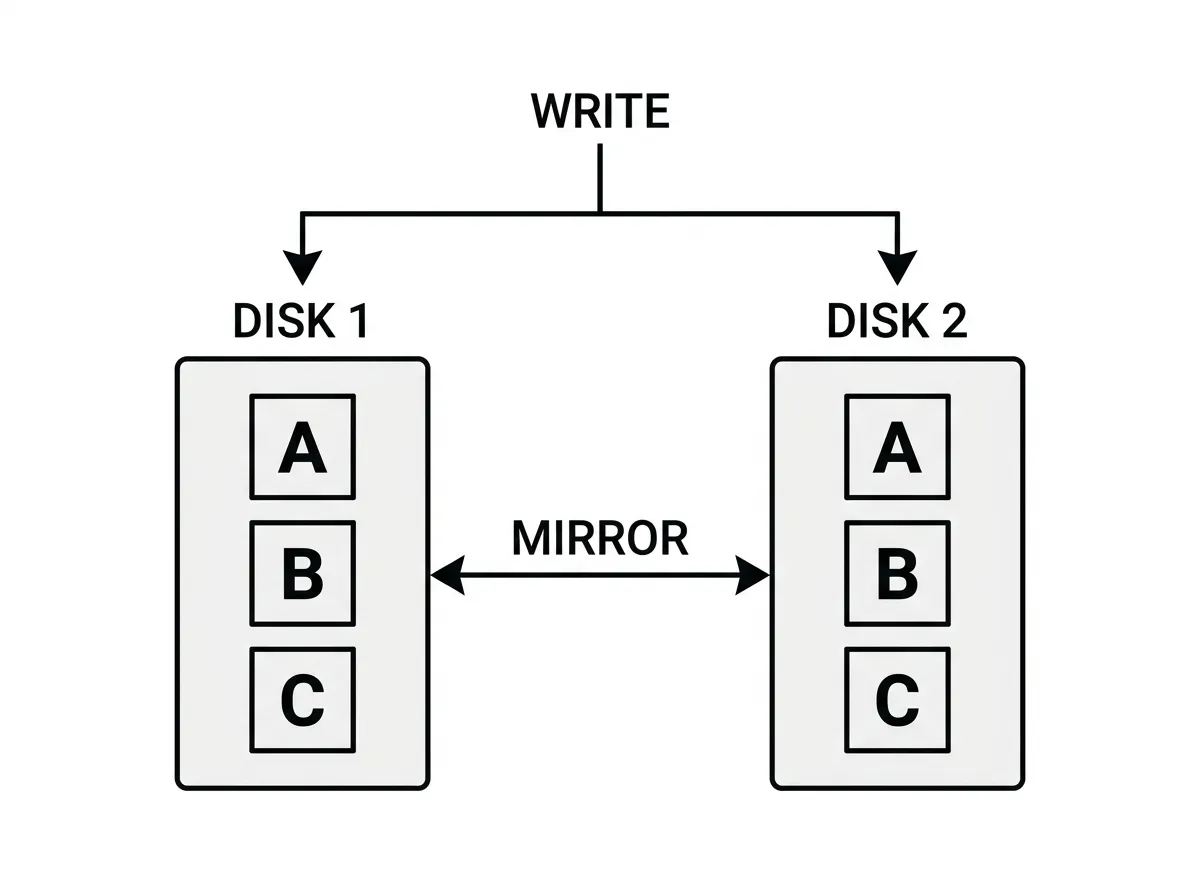
Fault tolerance is one drive per mirror pair. When a drive fails, the system keeps running on the survivor with no reconstruction needed, which is why RAID 1 is popular for operating system boot volumes. Reads can beat a single drive because the controller can service two read requests at once, one from each disk. Writes run at roughly single-drive speed, since the data must be committed twice, but with no calculation overhead.
Rebuilds are RAID 1's quiet advantage. Replacing a failed drive triggers a straight block-for-block copy from the surviving mirror, fast and stressing only one source disk, unlike the parity rebuilds below that hammer every remaining drive. The weakness to remember: mirroring copies mistakes too. Deletion, corruption, and ransomware mirror instantly, so RAID 1 protects uptime, not history.
Parity is an XOR calculation, and it explains both the RAID 5 write penalty and RAID 6's double protection
Before RAID 5 and 6 make sense, parity needs a proper explanation. Parity is computed with XOR (exclusive OR), a bitwise operation with one magical property: XOR a set of values together, and you can regenerate any single missing value by XORing the survivors. Tiny example: if drive A holds the bits 1010 and drive B holds 0110, the parity on drive C is 1100 (a 1 wherever A and B differ). Now drive B dies. XOR the surviving A with parity C and out comes 0110, drive B's data, rebuilt from arithmetic. That is all parity is: a per-stripe repair formula that lets the array tolerate exactly one unknown.
This also explains the famous RAID 5 write penalty. To modify one small block, the controller must read the old data block, read the old parity block, XOR both against the new data, then write the new data and the new parity: one logical write becomes four physical operations. Controller cache hides some of this, but parity arrays are always slower at small random writes than mirrors or stripes, which is why databases avoid RAID 5.
Why can RAID 6 survive two failures when RAID 5 survives one? Because a single XOR equation can only solve for one unknown. RAID 6 stores a second, mathematically independent parity value (commonly called P and Q, with Q using more complex math than plain XOR). Two independent equations can solve for two unknowns, so two dead drives can both be reconstructed. The cost is a second drive of capacity and a heavier write penalty, since every write updates two parity blocks.
RAID 5 gives the most usable space per drive but survives only one failure
RAID 5 combines striping with distributed parity.